Session replay & heatmaps

Session replay & heatmaps

See exactly where users get stuck — and fix it

See exactly where users get stuck — and fix it

Session Replay and heatmaps are connected to product analytics—so you know what to fix and why.

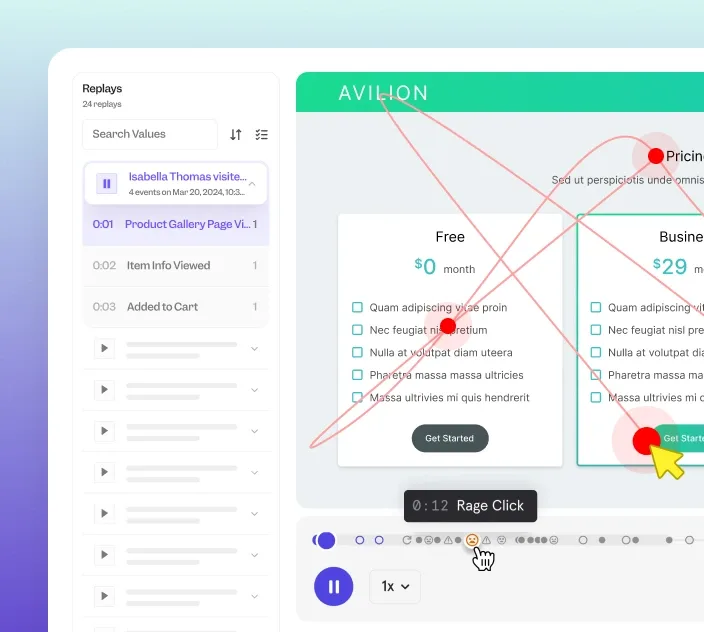
Session Replay. Watch real user sessions to uncover friction and broken flows. Understand impact, not just behavior.

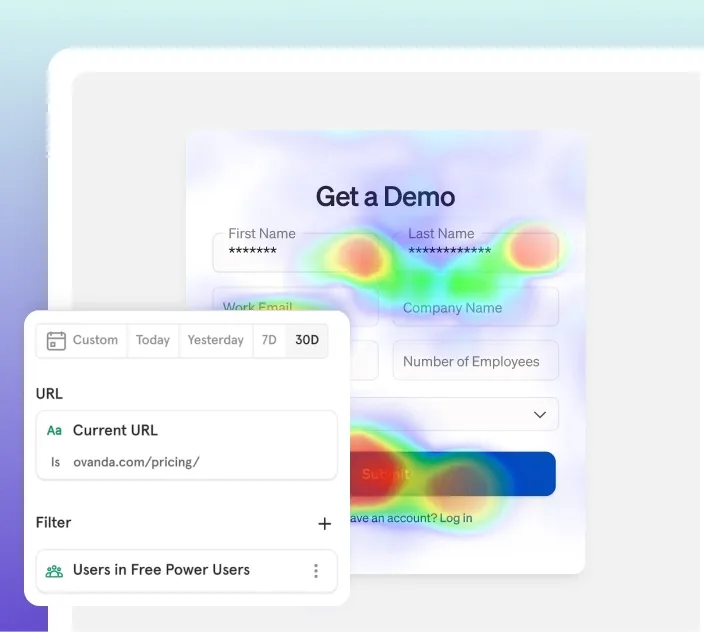
Heatmaps. See where users click, hesitate, and drop off across every page. Identify exactly where to optimize UX.

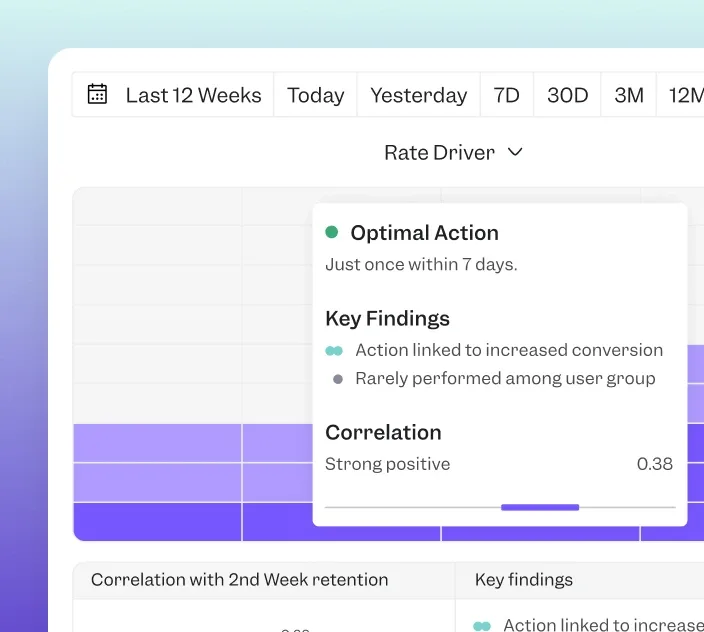
Prioritized insights. Filter results by funnels and outcomes. Surface what matters most with AI. Drive conversion & retention.

Company Size

*

By clicking “Get a Demo” I agree to receive updates about Mixpanel's products and services, and our Privacy Statement. You can opt-out at any time.

Company Size

*

By clicking “Get a Demo” I agree to receive updates about Mixpanel's products and services, and our Privacy Statement. You can opt-out at any time.

Trusted by 29,000+ leading companies
How it works

How it works

1. Launch replays & heatmaps

1. Launch replays & heatmaps

1. Launch replays & heatmaps

Capture user sessions across pages and flows. Uncover friction, broken flows, and other issues affecting user experience.
2. Find friction & root causes

2. Find friction & root causes

2. Find friction & root causes

Analyze heatmaps for patterns, then drill into session replays to see where users struggle, hesitate, or abandon.
3. Drive measurable growth

3. Drive measurable growth

3. Drive measurable growth

Optimize UX and ship improvements you can tie directly to conversion, retention, and revenue. Grow faster.
Features

Features

Session Replays

Heatmaps

Connected insights

Integrations

Session Replay

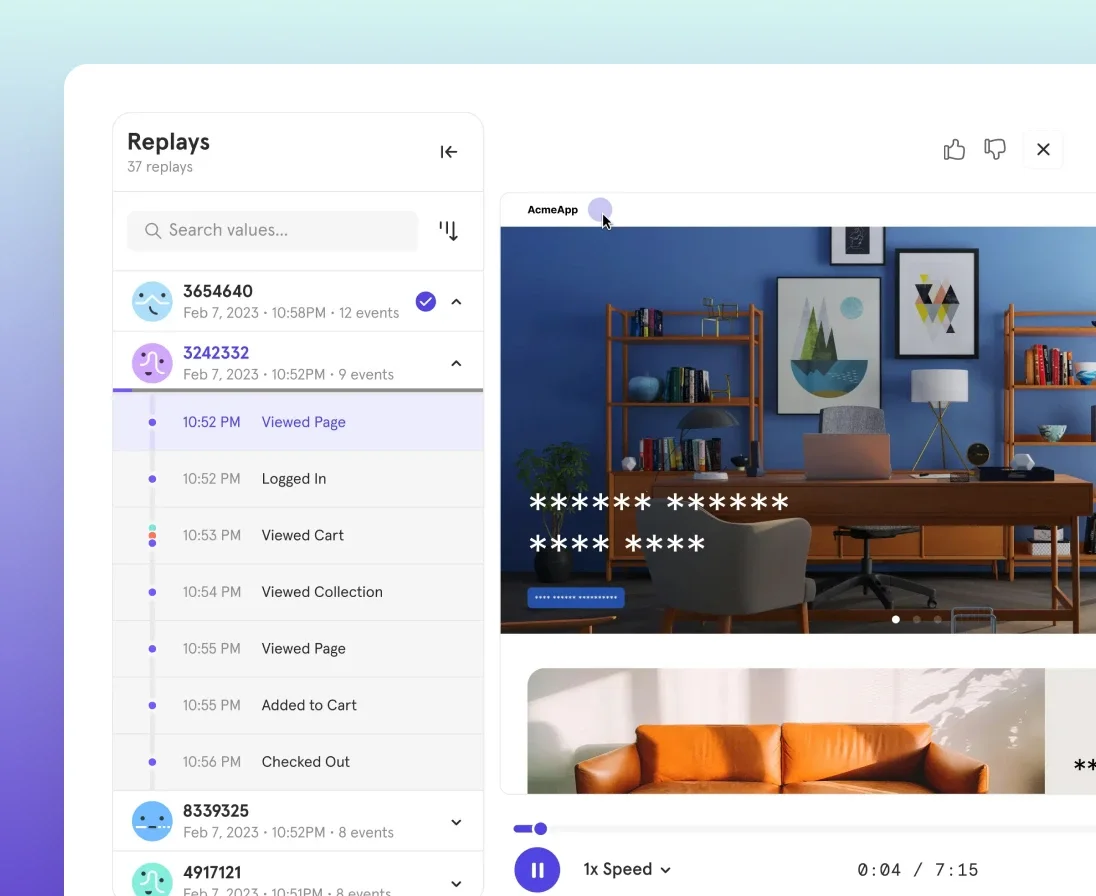
Watch individual sessions to reveal confusing experiences, friction, and broken flows across the user journey. Filter replays by user segment, funnel stage, or outcome to diagnose
issues faster.

Jump from reports or cohorts into replays. Get in-depth behavioral and analytics context.

Mask content by default, keeping sensitive data
safe & compliant.

Session Replay

Session Replays

Heatmaps

Connected insights

Integrations

Session Replay

Watch individual sessions to reveal confusing experiences, friction, and broken flows across the user journey. Filter replays by user segment, funnel stage, or outcome to diagnose
issues faster.

Jump from reports or cohorts into replays. Get in-depth behavioral and analytics context.

Mask content by default, keeping sensitive data
safe & compliant.

Session Replay

Session Replays

Heatmaps

Connected insights

Integrations

Session Replay

Watch individual sessions to reveal confusing experiences, friction, and broken flows across the user journey. Filter replays by user segment, funnel stage, or outcome to diagnose
issues faster.

Jump from reports or cohorts into replays. Get in-depth behavioral and analytics context.

Mask content by default, keeping sensitive data
safe & compliant.

Session Replay

Why teams love Mixpanel

Why teams love Mixpanel

Companies of all sizes rely on Mixpanel to understand users and drive growth.

Badge-momentum leader
Disco

“Watching a replay can replace hours of back-and-forth. See what, why & what to fix next.”

Johannes Kresling

Johannes Kresling

Sr. Product Manager

Employment Hero

“Session Replay is a game changer. We can optimize by seeing where users get stuck.”

Kevin Truong

Kevin Truong

Portfolio Product Manager

Lula

“Mixpanel helps us see friction. We’ve doubled conversions & retain customers far longer.”

Bradley Allan

Bradley Allan

Head of Product

Frequently Asked Questions

Frequently Asked Questions

How do I get started with Session Replay and Heatmaps?

Once you have Mixpanel’s JavaScript SDK installed, you can get started with Session Replay and Heatmaps in minutes.

  • Session Replay: Just add a one-line configuration update.

  • Heatmaps: Add one additional line of code.

You’ll start seeing results as traffic flows through your pages.

How do I get started with Session Replay and Heatmaps?

Once you have Mixpanel’s JavaScript SDK installed, you can get started with Session Replay and Heatmaps in minutes.

  • Session Replay: Just add a one-line configuration update.

  • Heatmaps: Add one additional line of code.

You’ll start seeing results as traffic flows through your pages.

How do I use Heatmaps and Session Replay for deeper analysis?

How do I use Heatmaps and Session Replay for deeper analysis?

What types of apps are supported?

What types of apps are supported?

How does Mixpanel protect user privacy?

How does Mixpanel protect user privacy?

How much does it cost?

How much does it cost?

Track user behavior. Optimize experiences. Grow faster.

Track user behavior. Optimize experiences. Grow faster.

Track user behavior. Optimize experiences. Grow faster.

Track user behavior. Optimize experiences. Grow faster.