새로운
실험 및 피처 플래그(Feature Flags) 기능이 이제 무료(Free) 및 성장(Growth) 요금제에 기본으로 포함됩니다!
새로운
실험 및 피처 플래그(Feature Flags) 기능이 이제 무료(Free) 및 성장(Growth) 요금제에 기본으로 포함됩니다!
Mixpanel vs. Adobe Analytics
Mixpanel vs. Adobe Analytics
Adobe requires heavy setup and specialty support, slowing teams down. Mixpanel delivers fast self-serve analytics that empowers teams to act on insights—no juggling add-ons, no data engineering, no steep learning curve.
Adobe requires heavy setup and specialty support, slowing teams down. Mixpanel delivers fast self-serve analytics that empowers teams to act on insights—no juggling add-ons, no data engineering, no steep learning curve.
A built-in product analyst
A built-in product analyst
Use the Mixpanel Agent to run an analysis, build a report, create a cohort, or walk you through a user's session replays. Get instant insights grounded in your business context.
Use the Mixpanel Agent to run an analysis, build a report, create a cohort, or walk you through a user's session replays. Get instant insights grounded in your business context.
Start faster, act smarter
Start faster, act smarter
Mixpanel’s quick implementation lets you spend time finding growth opportunities, not configuring tools. Open ecosystem and warehouse integrations shorten time to value.
Mixpanel’s quick implementation lets you spend time finding growth opportunities, not configuring tools. Open ecosystem and warehouse integrations shorten time to value.
Dig into user actions instantly
Dig into user actions instantly
Mixpanel makes it easy to discover detailed insights into user behavior, funnels, cohorts, and more. From execs to product managers, everyone can self-serve answers faster.
Mixpanel makes it easy to discover detailed insights into user behavior, funnels, cohorts, and more. From execs to product managers, everyone can self-serve answers faster.
Always-on product intelligence, grounded in context
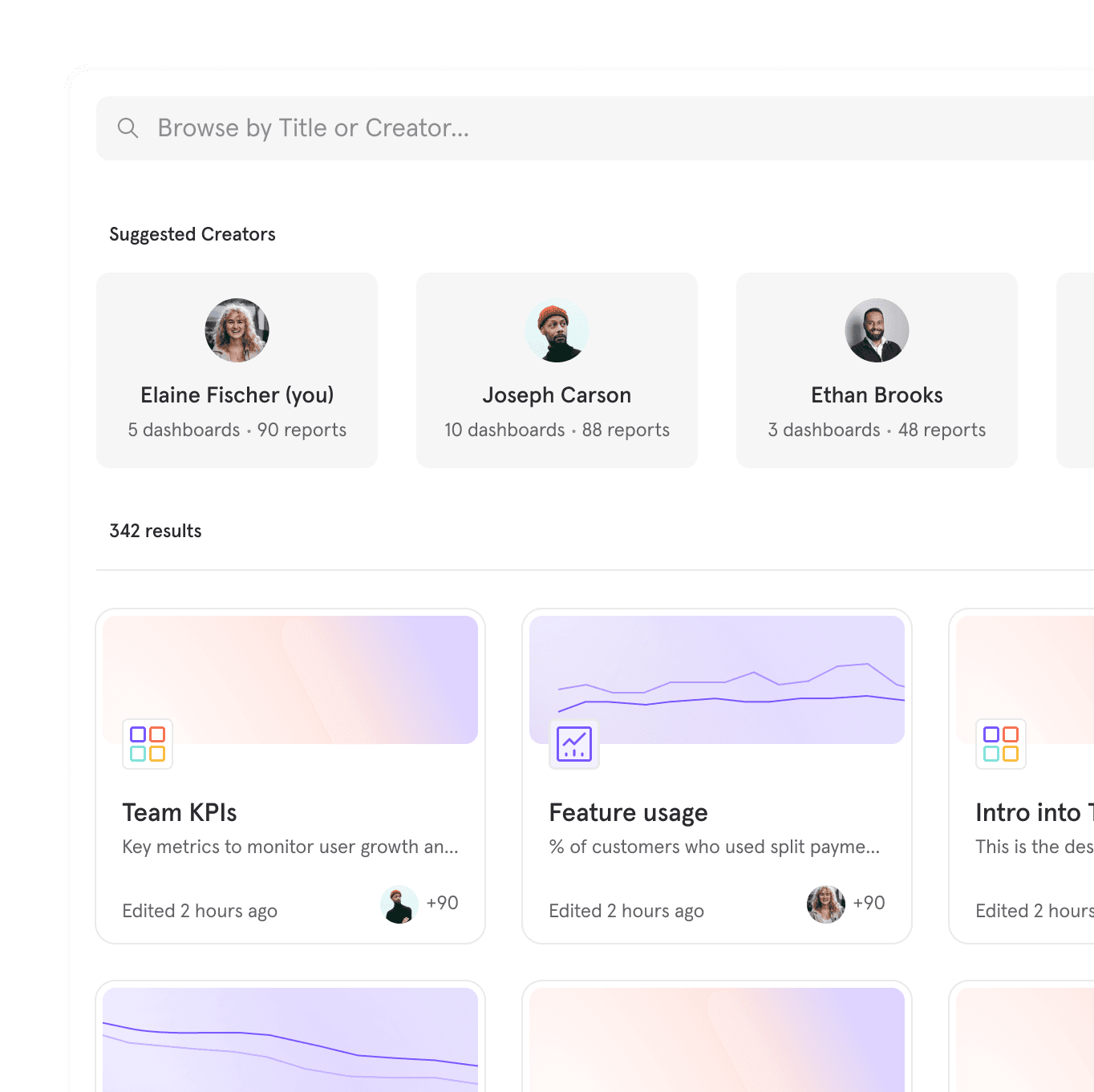
Ask Mixpanel Agent a question or give it a task, and it figures out the rest. Purpose-built to monitor your metrics, diagnose what’s driving them, and help you act. Grounded in trusted data.
Always-on analyst: Ask any question in plain language. Or use sub-agents to do a root cause analysis, monitor KPIs, and more.
Connect your stack: Mixpanel MCP Server allows you to analyze product data through AI tools like Claude, ChatGPT, Cursor, and more.
AI that knows your business: Context Engine ensures every AI query is grounded in verified data and relevant business context, to reduce hallucination risk.
Always-on product intelligence, grounded in context
Ask Mixpanel Agent a question or give it a task, and it figures out the rest. Purpose-built to monitor your metrics, diagnose what’s driving them, and help you act. Grounded in trusted data.
Always-on analyst: Ask any question in plain language. Or use sub-agents to do a root cause analysis, monitor KPIs, and more.
Connect your stack: Mixpanel MCP Server allows you to analyze product data through AI tools like Claude, ChatGPT, Cursor, and more.
AI that knows your business: Context Engine ensures every AI query is grounded in verified data and relevant business context, to reduce hallucination risk.
Always-on product intelligence, grounded in context
Ask Mixpanel Agent a question or give it a task, and it figures out the rest. Purpose-built to monitor your metrics, diagnose what’s driving them, and help you act. Grounded in trusted data.
Always-on analyst: Ask any question in plain language. Or use sub-agents to do a root cause analysis, monitor KPIs, and more.
Connect your stack: Mixpanel MCP Server allows you to analyze product data through AI tools like Claude, ChatGPT, Cursor, and more.
AI that knows your business: Context Engine ensures every AI query is grounded in verified data and relevant business context, to reduce hallucination risk.
Always-on product intelligence, grounded in context
Ask Mixpanel Agent a question or give it a task, and it figures out the rest. Purpose-built to monitor your metrics, diagnose what’s driving them, and help you act. Grounded in trusted data.
Always-on analyst: Ask any question in plain language. Or use sub-agents to do a root cause analysis, monitor KPIs, and more.
Connect your stack: Mixpanel MCP Server allows you to analyze product data through AI tools like Claude, ChatGPT, Cursor, and more.
AI that knows your business: Context Engine ensures every AI query is grounded in verified data and relevant business context, to reduce hallucination risk.
Unlock deeper insights for everyone
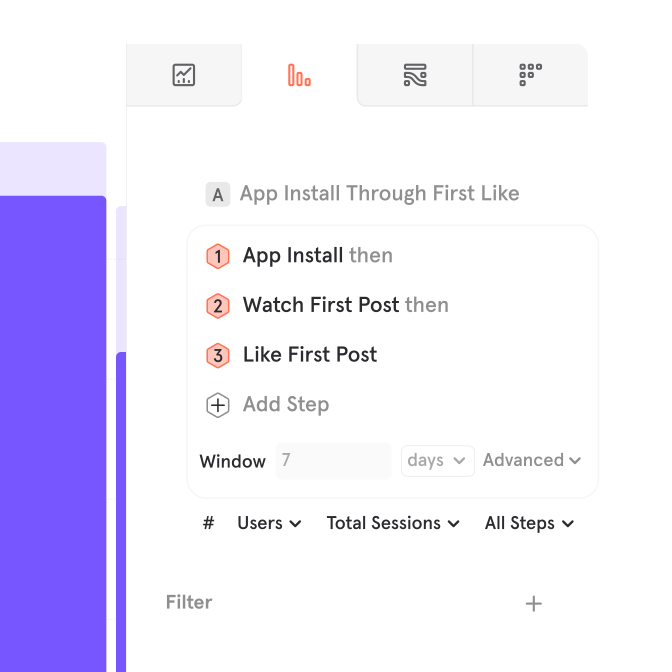
Don’t let data bottlenecks slow your team down. With Mixpanel, anyone can go deep in pinpointing drop-offs, measuring launches, and understanding exactly how users move through your product. No SQL required.
Instant insights, zero barriers: An intuitive interface and conversational AI agent empowers everyone to make their own data-driven decisions.
Product lifecycle in one workflow: Move between funnels, experimentation, and session replays to see the real user behavior behind every conversion.
Advanced segmentation & behavioral cohorts: Drill down into user behavior with custom cohorts and flexible filters.
Unlock deeper insights for everyone
Don’t let data bottlenecks slow your team down. With Mixpanel, anyone can go deep in pinpointing drop-offs, measuring launches, and understanding exactly how users move through your product. No SQL required.
Instant insights, zero barriers: An intuitive interface and conversational AI agent empowers everyone to make their own data-driven decisions.
Product lifecycle in one workflow: Move between funnels, experimentation, and session replays to see the real user behavior behind every conversion.
Advanced segmentation & behavioral cohorts: Drill down into user behavior with custom cohorts and flexible filters.
Unlock deeper insights for everyone
Don’t let data bottlenecks slow your team down. With Mixpanel, anyone can go deep in pinpointing drop-offs, measuring launches, and understanding exactly how users move through your product. No SQL required.
Instant insights, zero barriers: An intuitive interface and conversational AI agent empowers everyone to make their own data-driven decisions.
Product lifecycle in one workflow: Move between funnels, experimentation, and session replays to see the real user behavior behind every conversion.
Advanced segmentation & behavioral cohorts: Drill down into user behavior with custom cohorts and flexible filters.
Unlock deeper insights for everyone
Don’t let data bottlenecks slow your team down. With Mixpanel, anyone can go deep in pinpointing drop-offs, measuring launches, and understanding exactly how users move through your product. No SQL required.
Instant insights, zero barriers: An intuitive interface and conversational AI agent empowers everyone to make their own data-driven decisions.
Product lifecycle in one workflow: Move between funnels, experimentation, and session replays to see the real user behavior behind every conversion.
Advanced segmentation & behavioral cohorts: Drill down into user behavior with custom cohorts and flexible filters.
Set up fast and maintain without stress
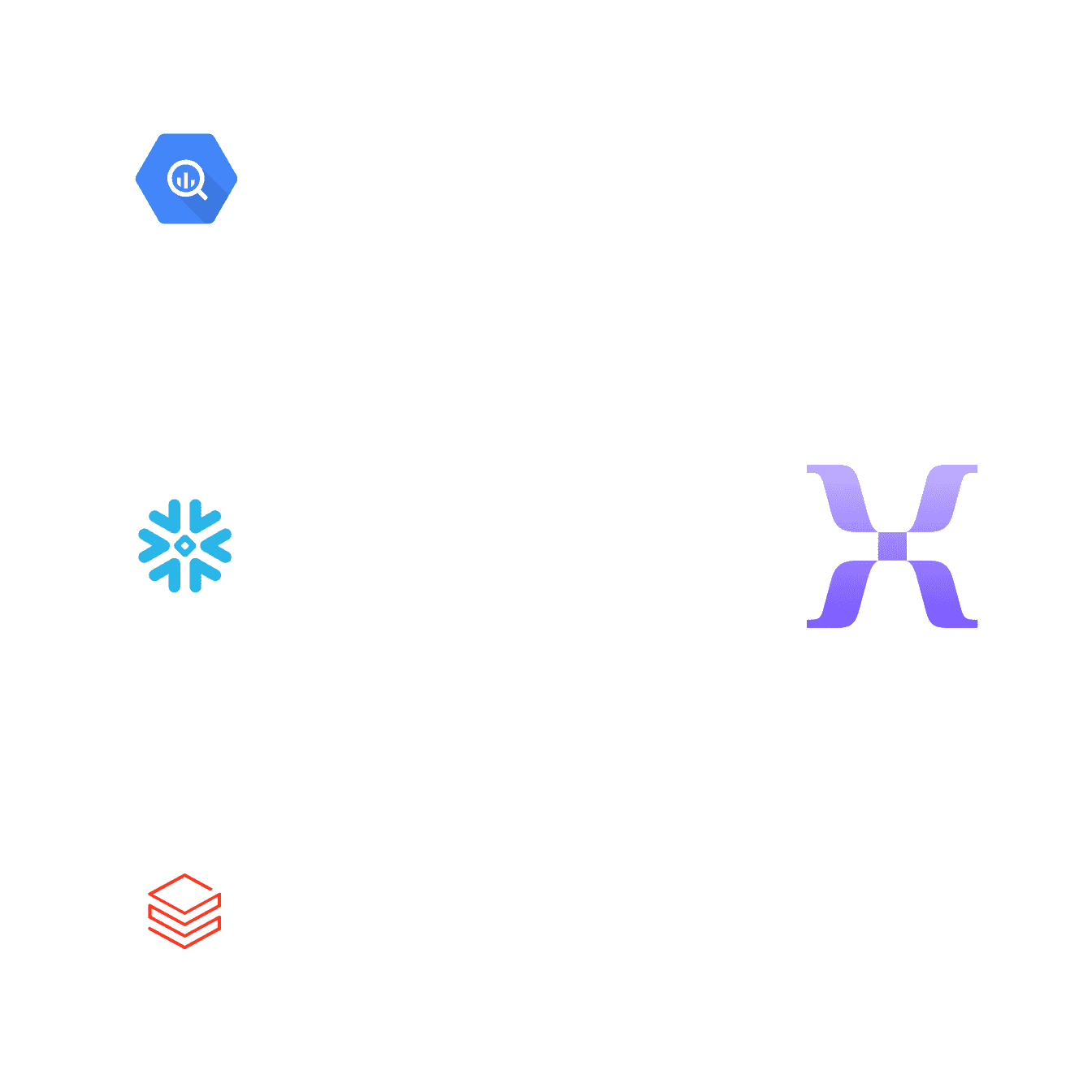
Mixpanel gets you up and running fast — no additional products or Adobe Experience Platform setup required. Deploy quickly, automate data quality, and keep analytics in sync with your data warehouse.
Fast setup: Track data instantly with autocapture, SDKs, or data warehouse connectors. Start exploring with out-of-the-box templates.
Open ecosystem: Integrate with your existing tools or data sources for holistic analysis without vendor lock-in.
Flexible data model: Adapt to changing requirements with a data model that allows retroactive updates and query-time joins. Custom-built for speed and accuracy.
Set up fast and maintain without stress
Mixpanel gets you up and running fast — no additional products or Adobe Experience Platform setup required. Deploy quickly, automate data quality, and keep analytics in sync with your data warehouse.
Fast setup: Track data instantly with autocapture, SDKs, or data warehouse connectors. Start exploring with out-of-the-box templates.
Open ecosystem: Integrate with your existing tools or data sources for holistic analysis without vendor lock-in.
Flexible data model: Adapt to changing requirements with a data model that allows retroactive updates and query-time joins. Custom-built for speed and accuracy.
Set up fast and maintain without stress
Mixpanel gets you up and running fast — no additional products or Adobe Experience Platform setup required. Deploy quickly, automate data quality, and keep analytics in sync with your data warehouse.
Fast setup: Track data instantly with autocapture, SDKs, or data warehouse connectors. Start exploring with out-of-the-box templates.
Open ecosystem: Integrate with your existing tools or data sources for holistic analysis without vendor lock-in.
Flexible data model: Adapt to changing requirements with a data model that allows retroactive updates and query-time joins. Custom-built for speed and accuracy.
Set up fast and maintain without stress
Mixpanel gets you up and running fast — no additional products or Adobe Experience Platform setup required. Deploy quickly, automate data quality, and keep analytics in sync with your data warehouse.
Fast setup: Track data instantly with autocapture, SDKs, or data warehouse connectors. Start exploring with out-of-the-box templates.
Open ecosystem: Integrate with your existing tools or data sources for holistic analysis without vendor lock-in.
Flexible data model: Adapt to changing requirements with a data model that allows retroactive updates and query-time joins. Custom-built for speed and accuracy.
| Mixpanel vs. Adobe Analytics | Mixpanel | Adobe Analytics |
|---|---|---|
| Customizable Dashboards | Mixpanel: Included | Adobe Analytics: Included |
| Real-Time Insights | Mixpanel: Included | Adobe Analytics: Included |
| Custom Alerts and Notifications | Mixpanel: Included | Adobe Analytics: Included |
| AI Agent | Mixpanel: Included | Adobe Analytics: Not included |
| AI Context Engine | Mixpanel: Included | Adobe Analytics: Not included |
| Headless | Mixpanel: Included | Adobe Analytics: Not included |
| Open ecosystem of 150+ integrations | Mixpanel: Included | Adobe Analytics: Not included |
| Experimentation | Mixpanel: Included | Adobe Analytics: Not included |
| Autocapture | Mixpanel: Included | Adobe Analytics: Not included |
| Install with AI | Mixpanel: Included | Adobe Analytics: Not included |
| Warehouse Connectors | Mixpanel: Included | Adobe Analytics: Not included |
| Proprietary Arb database for lightning-fast querying | Mixpanel: Included | Adobe Analytics: Not included |
| Out-of-the-box templates | Mixpanel: Included | Adobe Analytics: Not included |
| Custom Properties | Mixpanel: Included | Adobe Analytics: Not included |
| Self-Serve Analytics | Mixpanel: Included | Adobe Analytics: Not included |
| Collaboration Tools | Mixpanel: Included | Adobe Analytics: Not included |
| Metric Trees | Mixpanel: Included | Adobe Analytics: Not included |
| Session Replay | Mixpanel: Included | Adobe Analytics: Not included |
See why top companies rely on Mixpanel for growth
See why top companies rely on Mixpanel for growth
“The data we get from Mixpanel is vital to what we do, day in and day out. Teams across the company are able to answer their own analytics questions easily, without any developer skills.”
Jeff Parker
VP of Product Strategy & Design, Quicken
“Mixpanel’s MCP server changed our workflow entirely. Now anyone on the team can query data in natural language, directly from chat — no waiting, no bottlenecks, no dependency on the domain owner.”
Ricardo Pramana Suranta
Head of Engineering, DANA

“Mixpanel has become the destination for us to look at everything to do with the product itself. Everyone across the company always has a Mixpanel tab open; it’s a strategic part of our business day.”
Alon Carmel
CPO at Wilco
Frequently asked questions
Looking for Adobe Analytics alternatives?
Mixpanel is a modern Adobe Analytics alternative built for fast, self-serve insights without heavy implementation. See our full guide to Adobe Analytics alternatives for a deeper look.
Why do teams switch from Adobe Analytics to Mixpanel?
Adobe Analytics typically requires significant setup and specialized support to maintain. Mixpanel is designed for self-serve analysis, so teams can get answers without waiting on a data engineering team.
Does Mixpanel integrate with the rest of my stack the way Adobe does?
Yes — Mixpanel supports an open ecosystem of 100+ integrations and native data warehouse connectors, so you’re not locked into a single vendor’s ecosystem.