New
Experiments and Feature Flags are now included with Free and Growth plans!
New
Experiments and Feature Flags are now included with Free and Growth plans!
Mixpanel vs. Google Analytics
Mixpanel vs. Google Analytics
Tired of guessing what your users are really doing? Traditional analytics bury insights in rigid models and slow reports. Mixpanel make analytics fast, intuitive, and actionable — a smarter, modern alternative to GA4.
Tired of guessing what your users are really doing? Traditional analytics bury insights in rigid models and slow reports. Mixpanel make analytics fast, intuitive, and actionable — a smarter, modern alternative to GA4.
Real-Time, detailed analytics
Real-Time, detailed analytics
Mixpanel updates data instantly, providing user-level insights when you need them. GA4's delays leave you waiting to act.
Mixpanel updates data instantly, providing user-level insights when you need them. GA4's delays leave you waiting to act.
Unlimited funnel analysis
Unlimited funnel analysis
Mixpanel supports unlimited funnel steps and deep retention insights, giving you a clear understanding of the user lifecycle. GA4limits you to 10 funnel steps and basic retention metrics.
Mixpanel supports unlimited funnel steps and deep retention insights, giving you a clear understanding of the user lifecycle. GA4limits you to 10 funnel steps and basic retention metrics.
Don’t lose your data
Don’t lose your data
Mixpanel holds onto your entire dataset for to 2 years by default — no sampling, no hidden limits. GA4 retains your dataset for 14 months and requires extra setup for long-term access.
Mixpanel holds onto your entire dataset for to 2 years by default — no sampling, no hidden limits. GA4 retains your dataset for 14 months and requires extra setup for long-term access.
Unlock deeper insights for smarter decisions
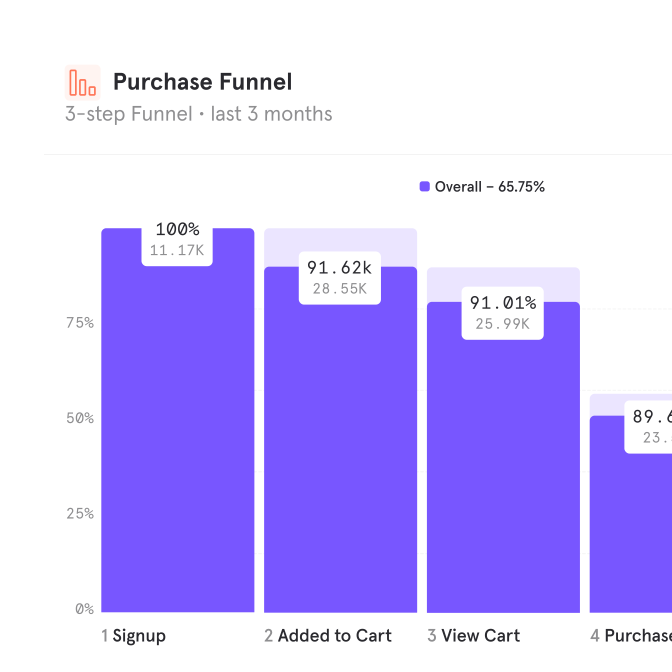
Mixpanel doesn't just track who visits; it uncovers why they engage, mapping every step from first touch to loyal customer.
Unlimited funnel steps: Map every step of the user journey to uncover drop-offs and opportunities for growth.
Real-time metrics: Make decisions confidently with data that updates instantly, not hours later.
Advanced segmentation: Drill down into user behavior with custom cohorts and flexible filters.
Unlock deeper insights for smarter decisions
Mixpanel doesn't just track who visits; it uncovers why they engage, mapping every step from first touch to loyal customer.
Unlimited funnel steps: Map every step of the user journey to uncover drop-offs and opportunities for growth.
Real-time metrics: Make decisions confidently with data that updates instantly, not hours later.
Advanced segmentation: Drill down into user behavior with custom cohorts and flexible filters.
Unlock deeper insights for smarter decisions
Mixpanel doesn't just track who visits; it uncovers why they engage, mapping every step from first touch to loyal customer.
Unlimited funnel steps: Map every step of the user journey to uncover drop-offs and opportunities for growth.
Real-time metrics: Make decisions confidently with data that updates instantly, not hours later.
Advanced segmentation: Drill down into user behavior with custom cohorts and flexible filters.
Unlock deeper insights for smarter decisions
Mixpanel doesn't just track who visits; it uncovers why they engage, mapping every step from first touch to loyal customer.
Unlimited funnel steps: Map every step of the user journey to uncover drop-offs and opportunities for growth.
Real-time metrics: Make decisions confidently with data that updates instantly, not hours later.
Advanced segmentation: Drill down into user behavior with custom cohorts and flexible filters.
Align teams and drive data-driven decisions
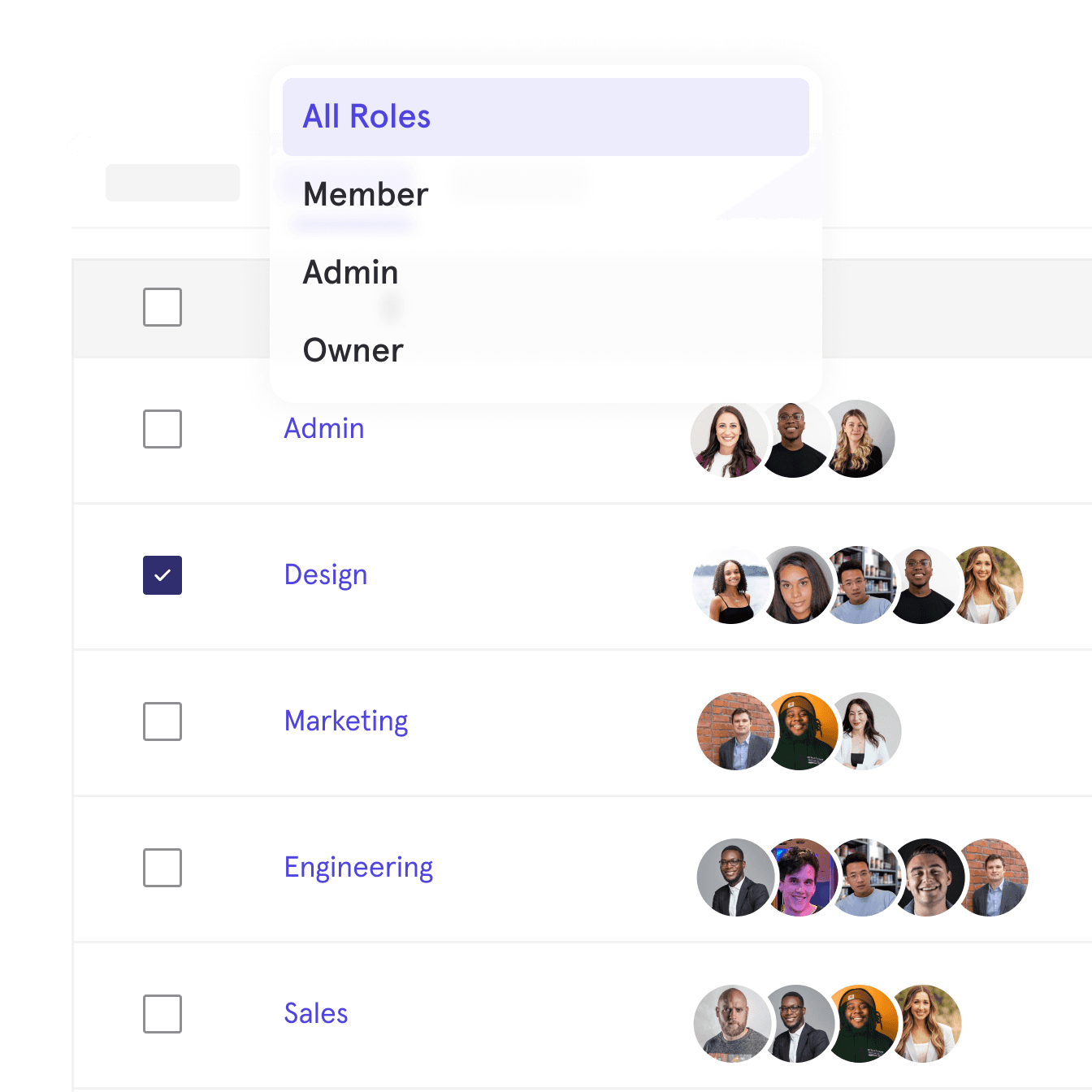
Mixpanel makes it easy for every team to see what's working, bridging marketing and product insights in one place.
Dashboard context: Add text and media cards to explain trends and align stakeholders.
Seamless sharing: Share public dashboards or embed charts directly into tools your team already uses.
Instant alerts: Get notified of key metric changes to keep everyone on the same page.
Align teams and drive data-driven decisions
Mixpanel makes it easy for every team to see what's working, bridging marketing and product insights in one place.
Dashboard context: Add text and media cards to explain trends and align stakeholders.
Seamless sharing: Share public dashboards or embed charts directly into tools your team already uses.
Instant alerts: Get notified of key metric changes to keep everyone on the same page.
Align teams and drive data-driven decisions
Mixpanel makes it easy for every team to see what's working, bridging marketing and product insights in one place.
Dashboard context: Add text and media cards to explain trends and align stakeholders.
Seamless sharing: Share public dashboards or embed charts directly into tools your team already uses.
Instant alerts: Get notified of key metric changes to keep everyone on the same page.
Align teams and drive data-driven decisions
Mixpanel makes it easy for every team to see what's working, bridging marketing and product insights in one place.
Dashboard context: Add text and media cards to explain trends and align stakeholders.
Seamless sharing: Share public dashboards or embed charts directly into tools your team already uses.
Instant alerts: Get notified of key metric changes to keep everyone on the same page.
Get started fast with support every step of the way
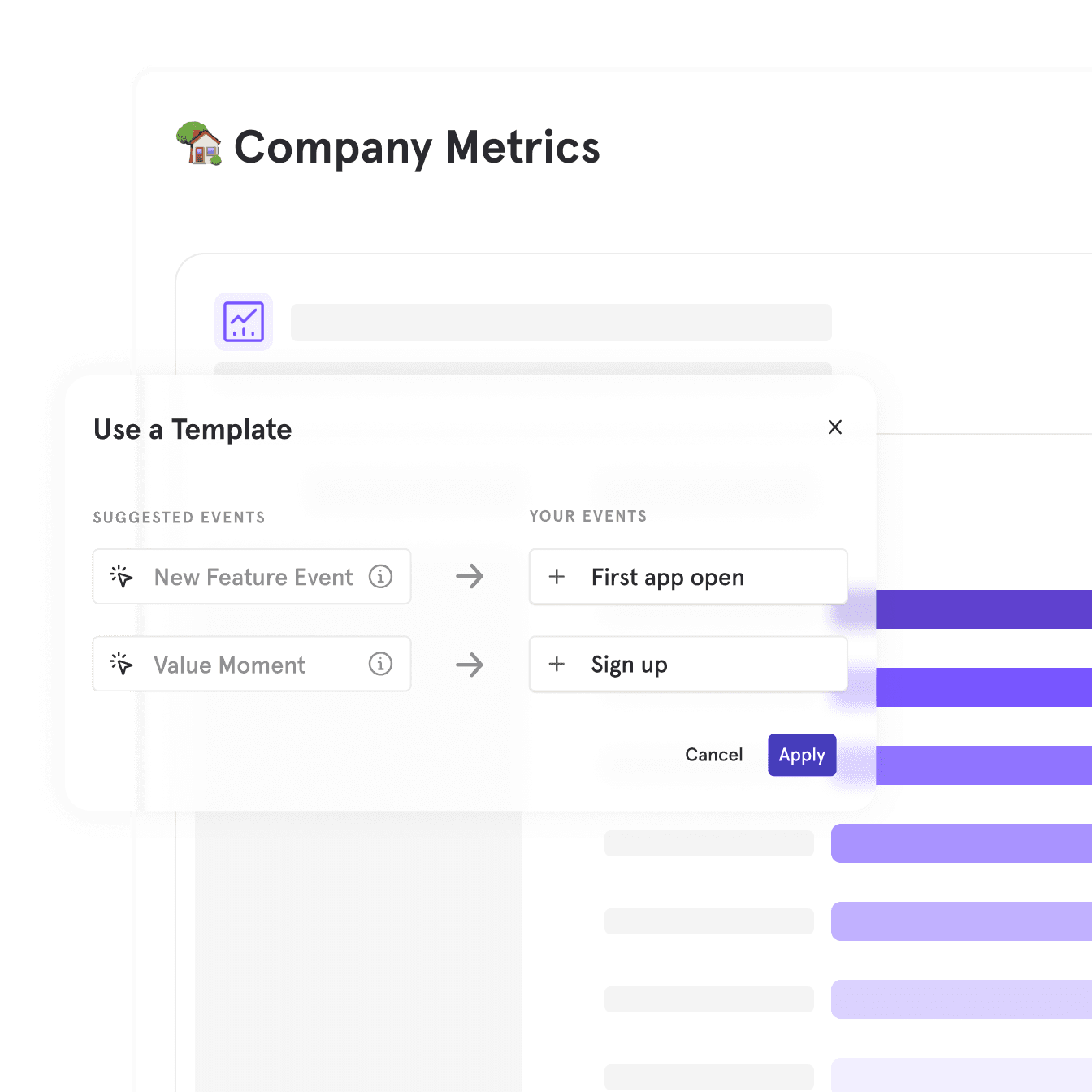
Mixpanel simplifies onboarding and ensures success with dedicated tools and guidance.
Dedicated support: Access a team of experts ready to help every step of the way—no premium plan required.
Pre-built templates: Jumpstart your analysis with ready-made templates for common metrics and use cases.
Seamless Onboarding: Easily integrate Mixpanel with tools like Segment and Google Tag Manager for a quick setup.
Get started fast with support every step of the way
Mixpanel simplifies onboarding and ensures success with dedicated tools and guidance.
Dedicated support: Access a team of experts ready to help every step of the way—no premium plan required.
Pre-built templates: Jumpstart your analysis with ready-made templates for common metrics and use cases.
Seamless Onboarding: Easily integrate Mixpanel with tools like Segment and Google Tag Manager for a quick setup.
Get started fast with support every step of the way
Mixpanel simplifies onboarding and ensures success with dedicated tools and guidance.
Dedicated support: Access a team of experts ready to help every step of the way—no premium plan required.
Pre-built templates: Jumpstart your analysis with ready-made templates for common metrics and use cases.
Seamless Onboarding: Easily integrate Mixpanel with tools like Segment and Google Tag Manager for a quick setup.
Get started fast with support every step of the way
Mixpanel simplifies onboarding and ensures success with dedicated tools and guidance.
Dedicated support: Access a team of experts ready to help every step of the way—no premium plan required.
Pre-built templates: Jumpstart your analysis with ready-made templates for common metrics and use cases.
Seamless Onboarding: Easily integrate Mixpanel with tools like Segment and Google Tag Manager for a quick setup.
Mixpanel vs Google Analytics

Events-based analytics model
Real-time, self-serve data
24+ months historical data
Integrations outside the Google ecosystem
Review raw, complete (unsampled) data
8+ attribution models with definitions
User-level analytics
Measure revenue impact of your site performance
ROAS of all advertising platforms (beyond Google Ads)
Watch session replays of user sessions
Unlimited funnel Steps
Instant setup with autocapture
Metric trees
Experimentation and feature flags
Feature
Mixpanel vs Google Analytics
Events-based analytics model
Real-time, self-serve data
24+ months historical data
Integrations outside the Google ecosystem
Review raw, complete (unsampled) data
8+ attribution models with definitions
User-level analytics
Measure revenue impact of your site performance
ROAS of all advertising platforms (beyond Google Ads)
Watch session replays of user sessions
Unlimited funnel Steps
Instant setup with autocapture
Metric trees
Experimentation and feature flags
Feature
24+ months historical data
Integrations outside the Google ecosystem
Review raw, complete (unsampled) data
8+ attribution models with definitions
User-level analytics
Measure revenue impact of your site performance
ROAS of all advertising platforms (beyond Google Ads)
Watch session replays of user sessions
Unlimited funnel Steps
Instant setup with autocapture
Metric trees
Experimentation and feature flags
Real-time, self-serve data
Events-based analytics model
Mixpanel vs Google Analytics
Events-based analytics model
Real-time, self-serve data
24+ months historical data
Integrations outside the Google ecosystem
Review raw, complete (unsampled) data
8+ attribution models with definitions
User-level analytics
Measure revenue impact of your site performance
ROAS of all advertising platforms (beyond Google Ads)
Watch session replays of user sessions
Unlimited funnel Steps
Instant setup with autocapture
Metric trees
Experimentation and feature flags
Feature
See why top companies rely on Mixpanel for growth
See why top companies rely on Mixpanel for growth
See why top companies rely on Mixpanel for growth
“Recently tried Mixpanel & Google Analytics on the same app & Mixpanel UX just blows every other option out of the water.”
Rakesh G
Founder at Snipply
“Remember that feeling when you switched from a Nokia brick phone to a smartphone with a touchscreen? I’m getting that same feeling when I switched from Firebase + Google Analytics to Mixpanel”
Richard W
Founder at Tensor
“Mixpanel has proven to be a very useful tool both for our UX, product, and marketing teams and has allowed us to gain additional insights into how our players navigate the platform”
Scuri M
Director of Operations at FACEIT
Don’t settle for surface-level analytics
Dive deeper, act faster, and make better decisions, with Mixpanel.
Don’t settle for surface-level analytics
Dive deeper, act faster, and make better decisions, with Mixpanel.
Don’t settle for surface-level analytics
Dive deeper, act faster, and make better decisions, with Mixpanel.
Don’t settle for surface-level analytics
Dive deeper, act faster, and make better decisions, with Mixpanel.