Agent Intelligence
Build agents your customers love — and measure their impact.
Agent Intelligence
Build agents your customers love — and measure their impact.
Mixpanel vs. Fullstory
Mixpanel vs. Fullstory
Frustrated with switching between tools and limited analytics depth? Mixpanel unifies powerful quantitative analytics with session replay, experiments, and feature flags—all in one platform.
Frustrated with switching between tools and limited analytics depth? Mixpanel unifies powerful quantitative analytics with session replay, experiments, and feature flags—all in one platform.
A built-in product analyst
A built-in product analyst
Use the Mixpanel Agent to run an analysis, build a report, create a cohort, or walk you through a user's session replays. Get instant insights grounded in your business context.
Use the Mixpanel Agent to run an analysis, build a report, create a cohort, or walk you through a user's session replays. Get instant insights grounded in your business context.
Session replay integrated with analytics
Session replay integrated with analytics
With Mixpanel, you can slice data in any direction—pinpointing drop-offs, frcition points, or unusual behavior—then jump into the exact replays to explain why. No sifting through endless sessions to find signal.
With Mixpanel, you can slice data in any direction—pinpointing drop-offs, frcition points, or unusual behavior—then jump into the exact replays to explain why. No sifting through endless sessions to find signal.
Built for the entire product lifecycle
Built for the entire product lifecycle
Discover opportunities and ship faster with granular analytics, experiments, session replay, and feature flagging all in one platform.
Discover opportunities and ship faster with granular analytics, experiments, session replay, and feature flagging all in one platform.
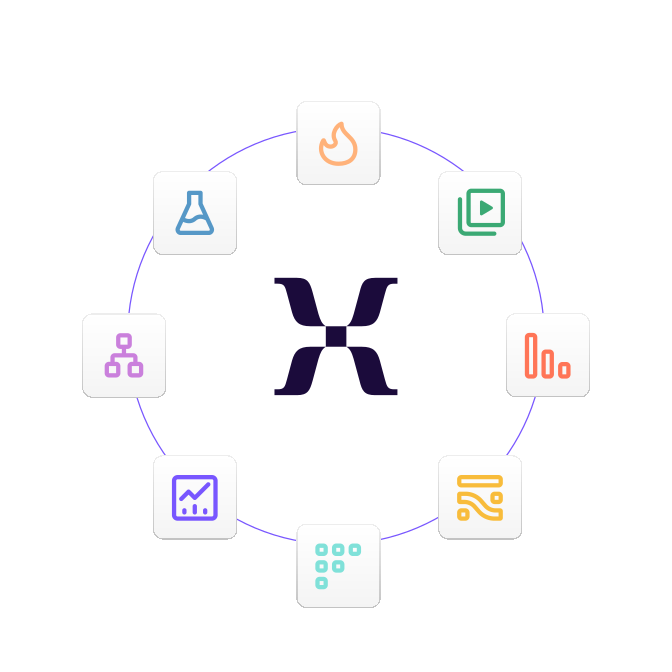
A single place to measure, understand, and improve your product
Mixpanel unifies deep analytics, session replay, experimentation, and metric trees in one platform, giving your team a complete view of the user journey.
Analytics and replay in one workflow: Move from funnels, journeys, and cohorts directly into session replays to see the real user behaviors behind every trend and conversion.
Experiments and insights connected end-to-end: When you spot an issue, you can immediately test and measure improvements with built-in experiments, all without switching tools.
Understand your metrics in one map with Metric Trees: Visualize how activation, engagement, and retention metrics relate to each other so you can diagnose changes and prioritize confidently.
A single place to measure, understand, and improve your product
Mixpanel unifies deep analytics, session replay, experimentation, and metric trees in one platform, giving your team a complete view of the user journey.
Analytics and replay in one workflow: Move from funnels, journeys, and cohorts directly into session replays to see the real user behaviors behind every trend and conversion.
Experiments and insights connected end-to-end: When you spot an issue, you can immediately test and measure improvements with built-in experiments, all without switching tools.
Understand your metrics in one map with Metric Trees: Visualize how activation, engagement, and retention metrics relate to each other so you can diagnose changes and prioritize confidently.
A single place to measure, understand, and improve your product
Mixpanel unifies deep analytics, session replay, experimentation, and metric trees in one platform, giving your team a complete view of the user journey.
Analytics and replay in one workflow: Move from funnels, journeys, and cohorts directly into session replays to see the real user behaviors behind every trend and conversion.
Experiments and insights connected end-to-end: When you spot an issue, you can immediately test and measure improvements with built-in experiments, all without switching tools.
Understand your metrics in one map with Metric Trees: Visualize how activation, engagement, and retention metrics relate to each other so you can diagnose changes and prioritize confidently.
A single place to measure, understand, and improve your product
Mixpanel unifies deep analytics, session replay, experimentation, and metric trees in one platform, giving your team a complete view of the user journey.
Analytics and replay in one workflow: Move from funnels, journeys, and cohorts directly into session replays to see the real user behaviors behind every trend and conversion.
Experiments and insights connected end-to-end: When you spot an issue, you can immediately test and measure improvements with built-in experiments, all without switching tools.
Understand your metrics in one map with Metric Trees: Visualize how activation, engagement, and retention metrics relate to each other so you can diagnose changes and prioritize confidently.
Always-on product intelligence, grounded in context
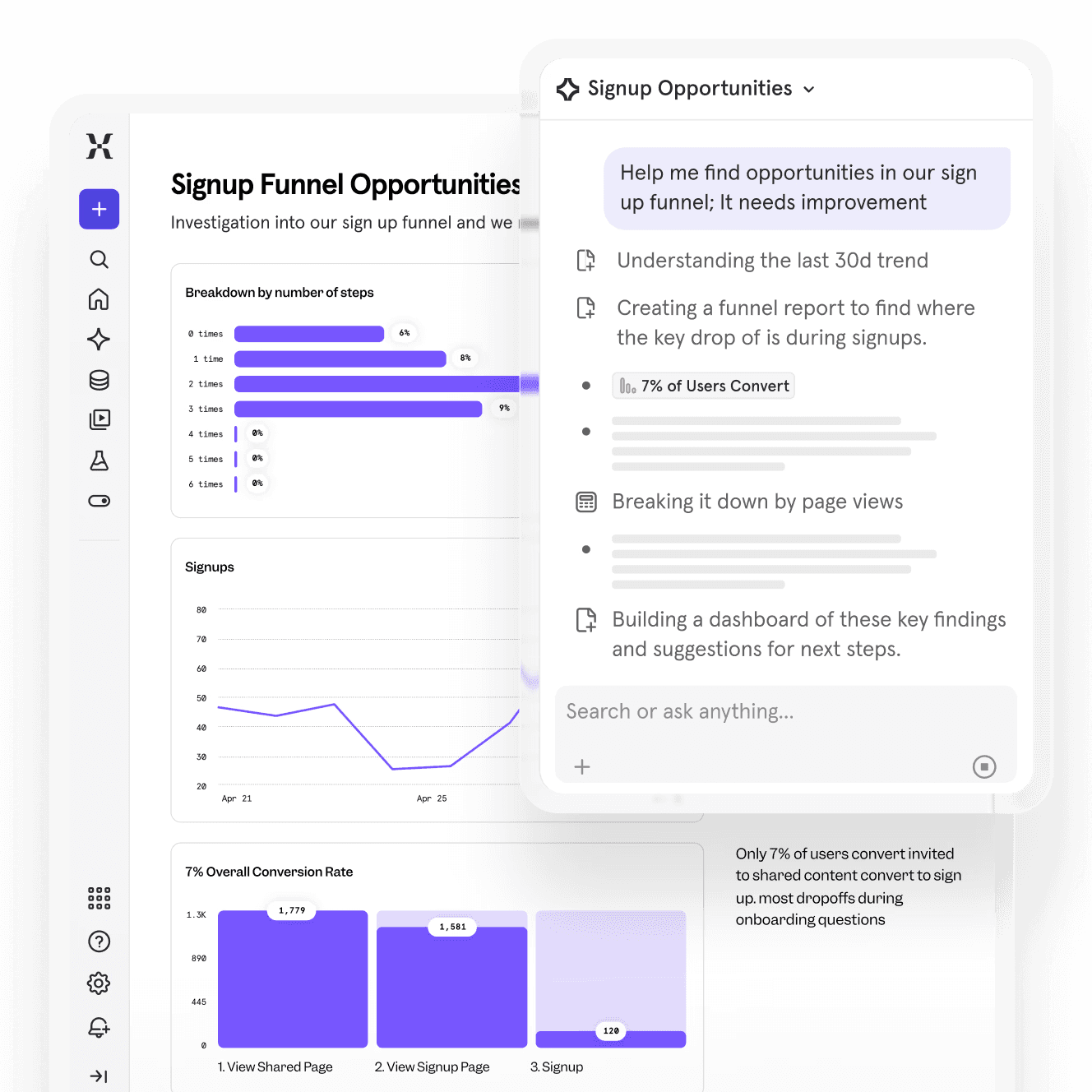
Ask Mixpanel Agent a question or give it a task, and it figures out the rest. Purpose-built to monitor your metrics, diagnose what’s driving them, and help you act. Grounded in trusted data.
Always-on analyst: Ask any question in plain language. Or use sub-agents to do a root cause analysis, monitor KPIs, and more.
Connect your stack: Mixpanel MCP Server allows you to analyze product data through AI tools like Claude, ChatGPT, Cursor, and more.
AI that knows your business: Context Engine ensures every AI query is grounded in verified data and relevant business context, to reduce hallucination risk.
Always-on product intelligence, grounded in context
Ask Mixpanel Agent a question or give it a task, and it figures out the rest. Purpose-built to monitor your metrics, diagnose what’s driving them, and help you act. Grounded in trusted data.
Always-on analyst: Ask any question in plain language. Or use sub-agents to do a root cause analysis, monitor KPIs, and more.
Connect your stack: Mixpanel MCP Server allows you to analyze product data through AI tools like Claude, ChatGPT, Cursor, and more.
AI that knows your business: Context Engine ensures every AI query is grounded in verified data and relevant business context, to reduce hallucination risk.
Always-on product intelligence, grounded in context
Ask Mixpanel Agent a question or give it a task, and it figures out the rest. Purpose-built to monitor your metrics, diagnose what’s driving them, and help you act. Grounded in trusted data.
Always-on analyst: Ask any question in plain language. Or use sub-agents to do a root cause analysis, monitor KPIs, and more.
Connect your stack: Mixpanel MCP Server allows you to analyze product data through AI tools like Claude, ChatGPT, Cursor, and more.
AI that knows your business: Context Engine ensures every AI query is grounded in verified data and relevant business context, to reduce hallucination risk.
Always-on product intelligence, grounded in context
Ask Mixpanel Agent a question or give it a task, and it figures out the rest. Purpose-built to monitor your metrics, diagnose what’s driving them, and help you act. Grounded in trusted data.
Always-on analyst: Ask any question in plain language. Or use sub-agents to do a root cause analysis, monitor KPIs, and more.
Connect your stack: Mixpanel MCP Server allows you to analyze product data through AI tools like Claude, ChatGPT, Cursor, and more.
AI that knows your business: Context Engine ensures every AI query is grounded in verified data and relevant business context, to reduce hallucination risk.
Unlock deeper insights with best-in-class analytics
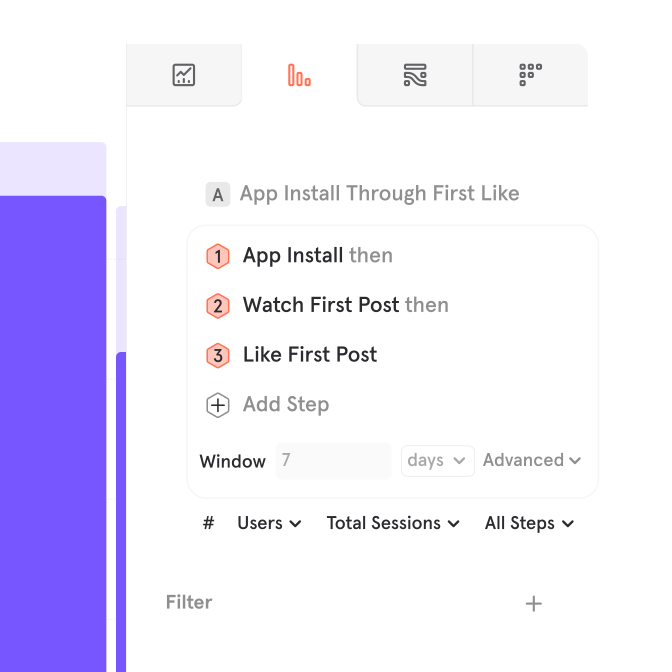
Mixpanel gives you the quantitative depth to uncover trends, diagnose issues, and understand exactly how users move through your product. While replays show you behavior, Mixpanel’s analytics reveal the patterns behind it, helping you make smarter, faster decisions.
Granular funnels & journeys that reveal real behavior: Analyze flows with unlimited steps, compare paths side-by-side, and break down conversion rates by any property or cohort to pinpoint friction and opportunity.
Advanced segmentation & behavioral cohorts: Drill down into user behavior with custom cohorts and flexible filters.
Multi-dimensional breakdowns that expose hidden patterns: Slice any report by multiple dimensions at once (e.g., device + plan + action) to surface insights that traditional replay tools can’t reveal on their own.
Unlock deeper insights with best-in-class analytics
Mixpanel gives you the quantitative depth to uncover trends, diagnose issues, and understand exactly how users move through your product. While replays show you behavior, Mixpanel’s analytics reveal the patterns behind it, helping you make smarter, faster decisions.
Granular funnels & journeys that reveal real behavior: Analyze flows with unlimited steps, compare paths side-by-side, and break down conversion rates by any property or cohort to pinpoint friction and opportunity.
Advanced segmentation & behavioral cohorts: Drill down into user behavior with custom cohorts and flexible filters.
Multi-dimensional breakdowns that expose hidden patterns: Slice any report by multiple dimensions at once (e.g., device + plan + action) to surface insights that traditional replay tools can’t reveal on their own.
Unlock deeper insights with best-in-class analytics
Mixpanel gives you the quantitative depth to uncover trends, diagnose issues, and understand exactly how users move through your product. While replays show you behavior, Mixpanel’s analytics reveal the patterns behind it, helping you make smarter, faster decisions.
Granular funnels & journeys that reveal real behavior: Analyze flows with unlimited steps, compare paths side-by-side, and break down conversion rates by any property or cohort to pinpoint friction and opportunity.
Advanced segmentation & behavioral cohorts: Drill down into user behavior with custom cohorts and flexible filters.
Multi-dimensional breakdowns that expose hidden patterns: Slice any report by multiple dimensions at once (e.g., device + plan + action) to surface insights that traditional replay tools can’t reveal on their own.
Unlock deeper insights with best-in-class analytics
Mixpanel gives you the quantitative depth to uncover trends, diagnose issues, and understand exactly how users move through your product. While replays show you behavior, Mixpanel’s analytics reveal the patterns behind it, helping you make smarter, faster decisions.
Granular funnels & journeys that reveal real behavior: Analyze flows with unlimited steps, compare paths side-by-side, and break down conversion rates by any property or cohort to pinpoint friction and opportunity.
Advanced segmentation & behavioral cohorts: Drill down into user behavior with custom cohorts and flexible filters.
Multi-dimensional breakdowns that expose hidden patterns: Slice any report by multiple dimensions at once (e.g., device + plan + action) to surface insights that traditional replay tools can’t reveal on their own.
| Mixpanel vs. Fullstory | Mixpanel | Fullstory |
|---|---|---|
| Session Replays | Mixpanel: Included | Fullstory: Included |
| Heatmaps, scroll maps, and click maps | Mixpanel: Included | Fullstory: Included |
| Autocapture | Mixpanel: Included | Fullstory: Included |
| MCP Server | Mixpanel: Included | Fullstory: Included |
| Session replay AI summaries | Mixpanel: Included | Fullstory: Included |
| 1M free events | Mixpanel: Included | Fullstory: Not included |
| 10,000+ free monthly session replays | Mixpanel: Included | Fullstory: Not included |
| Advanced product analytics | Mixpanel: Included | Fullstory: Not included |
| Behavioral cohorts | Mixpanel: Included | Fullstory: Not included |
| Metric trees | Mixpanel: Included | Fullstory: Not included |
| Experiments | Mixpanel: Included | Fullstory: Not included |
| Automated anomaly detection | Mixpanel: Included | Fullstory: Not included |
| AI Context Engine | Mixpanel: Included | Fullstory: Not included |
| Headless | Mixpanel: Included | Fullstory: Not included |
| Verified Metrics | Mixpanel: Included | Fullstory: Not included |
See why top companies rely on Mixpanel for growth
See why top companies rely on Mixpanel for growth
“The data we get from Mixpanel is vital to what we do, day in and day out. Teams across the company are able to answer their own analytics questions easily, without any developer skills.”
Jeff Parker
VP of Product Strategy & Design, Quicken
“Mixpanel’s MCP server changed our workflow entirely. Now anyone on the team can query data in natural language, directly from chat — no waiting, no bottlenecks, no dependency on the domain owner.”
Ricardo Pramana Suranta
Head of Engineering, DANA

“Mixpanel has become the destination for us to look at everything to do with the product itself. Everyone across the company always has a Mixpanel tab open; it’s a strategic part of our business day.”
Alon Carmel
CPO at Wilco
Frequently asked questions
Looking for FullStory alternatives?
Does Mixpanel offer session replay like FullStory?
How is Mixpanel different from FullStory?
Don’t settle for siloed replays
Dive deeper, act faster, and make better decisions, with Mixpanel.
Don’t settle for siloed replays
Dive deeper, act faster, and make better decisions, with Mixpanel.
Don’t settle for siloed replays
Dive deeper, act faster, and make better decisions, with Mixpanel.
Don’t settle for siloed replays
Dive deeper, act faster, and make better decisions, with Mixpanel.