


AI still needs a human in the loop

This is part three of our series on building trustworthy AI analytics. Read part one on context and part two on black box AI analytics.
Many businesses are understandably excited about the opportunity that AI offers, from accelerated workflows to cost reduction to significant time savings. And we’re still only seeing the beginning of what AI can do. Even with all of the excitement, it’s important to move toward AI adoption and automation responsibly. Take Klarna as a case in point.
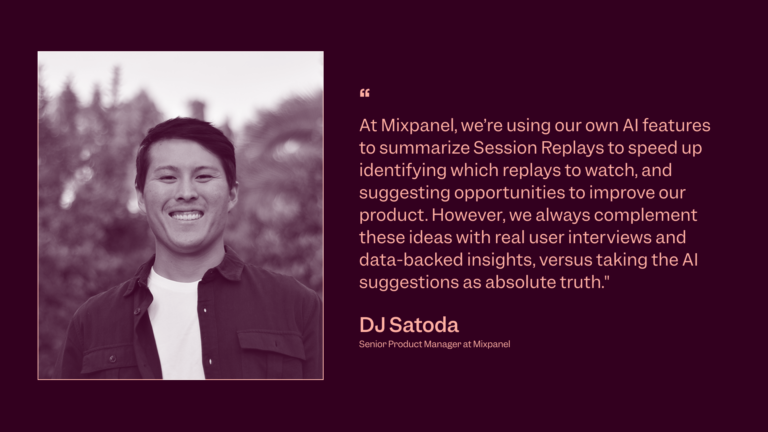
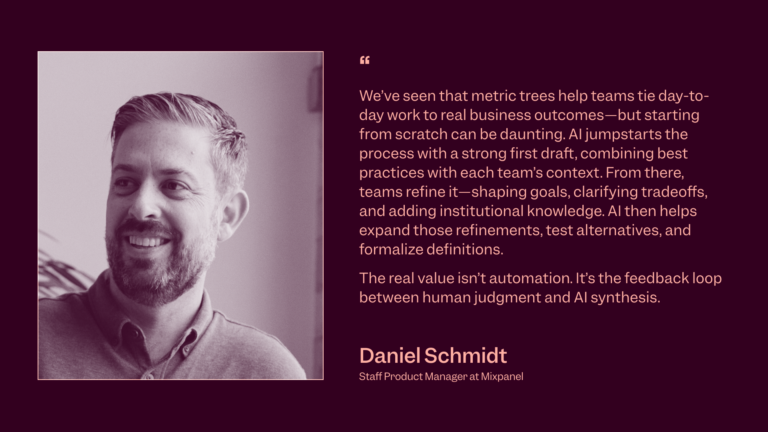
That’s why we advocate for having humans in the loop (at least for now): ensuring that AI systems have the human oversight they need to keep guardrails in place and make important decisions. AI should augment or accelerate human decision-making, not replace it. We've learned this through both our own AI experiments and by watching thousands of teams use Mixpanel to make critical product decisions.
AI is evolving fast, and humans in the loop may not be necessary forever. As AI systems mature, the scope of automation will expand. But at least until then, knowing when and where to apply human judgement is what enables safe, scalable autonomy over time.
Why a human in the loop makes AI more powerful
Fully autonomous AI agents sound powerful. Imagine focusing on higher-level problems while AI handles the nitty-gritty details. Product managers juggle dozens of priorities daily, and being able to shift some of that onto AI is very appealing—as long as you can trust the results.
AI can help automate and accelerate workflows, but we still absolutely need human guardrails. AI can't provide the checkpoints, boundaries, cross-team alignment, and institutional knowledge that humans can. Here are a few examples.
Adding validation criteria with checkpoints
Let’s say an AI flags a recent 15% drop in activation and recommends rolling back a recent onboarding change to halt the drop.
Without a human in the loop, the AI is able and authorized to roll the feature back based only on its own probabilistic reasoning. But what if:
- The onboarding change and the activation drop were unrelated?
- Or that the drop in activation was anticipated, but was deemed worthwhile because it had other benefits or was only affecting a smaller, less valuable subset of customers?
Adding a validation checkpoint forces the AI system to flag this change and ask, “Should this trigger an action, or is this for review only?” A human can then jump in, evaluate the information provided, and decide whether or not to proceed.
Validation checkpoints can also make the AI show its confidence levels or supporting evidence before taking action. They can create mandatory pre-action tasks like confirming the comparison window or cohort to validate what’s happening.
Implementing boundaries with escalation rules
Another hypothetical scenario: an AI agent reallocates 30% of paid spend based on its short-term return on ad spend (ROAS) predictions. This improves short-term acquisition, but it also impacts the budget for other campaigns. Worse, improving short-term ROAS has consequences in the long-term that the AI didn’t foresee, and now important metrics like retention and lifetime value (LTV) are down.
Adding an escalation rule that triggers human oversight can prevent such short-term optimizations. Rules can take different approaches, depending on concerns and priorities. For example, rules like “any budget change over 10% requires review by a member of the team,” or “any customer-facing change requires PM sign-off,” would both work in the situation described above.
Trusting institutional knowledge
Imagine your AI finds a low-engagement feature that appears to be underutilized. It removes the feature without oversight or guardrails.
But the AI couldn’t know that the feature in question was specifically built at the request of one enterprise customer, who is responsible for a significant portion of the company’s revenue. Without a PM’s supervision, the product optimizes for the average customer and misses the nuance of servicing outliers who may be fewer in number but nonetheless important.
Having a human approve (or deny) product changes is crucial when it comes to preventing these sorts of errors.
Why we care (and you should too)
We’ve been thinking about this problem a lot recently as we’ve used AI and built out Mixpanel’s own AI features, and as we’ve heard feedback from customers about what works for them (and what doesn’t). We’ve seen customers struggle with black-box AI or data infrastructures that lacked transparency. We’re creating a platform for AI-powered insights that supports people (not the other way around).
What AI with humans in the loop looks like
Let’s look at the ways that having humans involved at every step of the process can actually help with faster decision-making and more accurate insights, without slowing things down.
Level 1: AI surfaces a trend, alerts the PM
Say AI copilot spots a new trend (like a 15% drop in activation, for example). Instead of acting on its own, it flags the trend for a human PM, who confirms it's real and decides whether it matters.
This allows the PM to sanity-check the AI's sources and reasoning, identify affected users to quantify the scope, and determine whether the change is meaningful. By maintaining these checks and balances, PMs can stay on top of what's happening without overreacting to every trend.
Level 2: AI proposes next steps
Based on the information provided, the PM weighs the tradeoffs of the different courses of action provided and chooses which direction to take, based on the AI’s proposals. For example, if the AI sees an opportunity to increase ROAS by reallocating 30% of ad spend (as mentioned above), it can make that suggestion.
The PM can consider broader effects on UX, performance, and long-term goals when making a decision, which AI doesn’t always have the context or ability to understand. They can also approve, modify, or decline suggested experiments or changes before implementing them.
Level 3: AI executes product tasks
Once decisions have been made, AI can execute tasks with guardrails in place, including running pre-approved experiments, updating dashboards and analyses, generating summaries, and performing follow-up investigations. Build a kill switch into the solution that can rollback the AI's actions if metrics degrade.
This way, PMs get the speed of AI without sacrificing quality or control of their work.
Level 4: The feedback loop continues
AI learn from our interactions with them. When going through steps 1-3, the AI learns from the process and improves for the next iterations. PMs can help this process by flagging missing or misleading insights, explaining why recommendations were rejected, and including decision rationale as context. This trains and improves the model to learn from its past iterations and improves its reasoning, making its input more valuable over time.
Building AI that respects human judgement
The four-level approach we've outlined isn't theoretical; it's how we've designed Mixpanel's AI features to work in practice, and it’s how we’re rebuilding our AI platform—to continue to put humans at the center of judgement and decision-making. Our AI products, like Model Context Protocol (MCP), keep humans in the decision loop while still delivering the speed and pattern recognition that makes AI valuable.
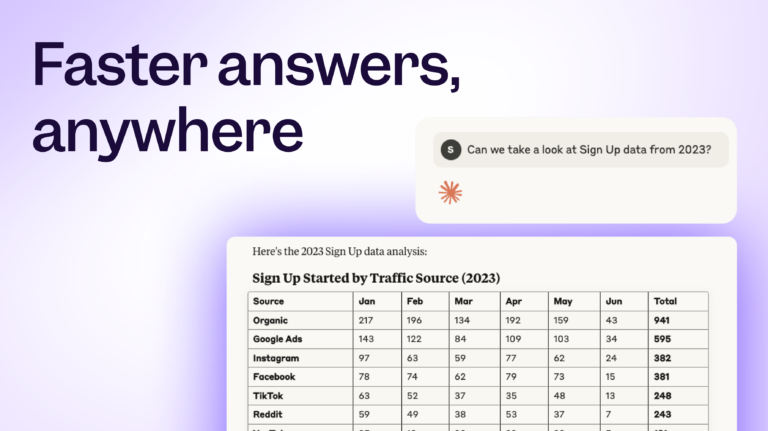
With the MCP server, your team members can query Mixpanel's data directly through AI assistants, but the AI surfaces insights and recommendations rather than taking action autonomously. You maintain decision authority. Non-technical team members get the answers they need without waiting for analytics support, and without handing control over to a black box.
We've built MCP this way because we've seen what happens when AI systems skip the trust-building steps. The examples in this article—the rolled-back features, the misallocated budgets, the removed enterprise functionality—aren't scare stories. They're the kinds of mistakes that happen when automation runs ahead of oversight.
If you're exploring AI analytics for your product team, start by asking: does this tool keep me in the loop, or does it expect me to trust it blindly? The answer will tell you whether you're getting a copilot or an autopilot.Learn more about our Model Context Protocol.