
Session Replay

Session replay, connected to your analytics

Session replay, connected to your analytics

Session replay, connected to your analytics

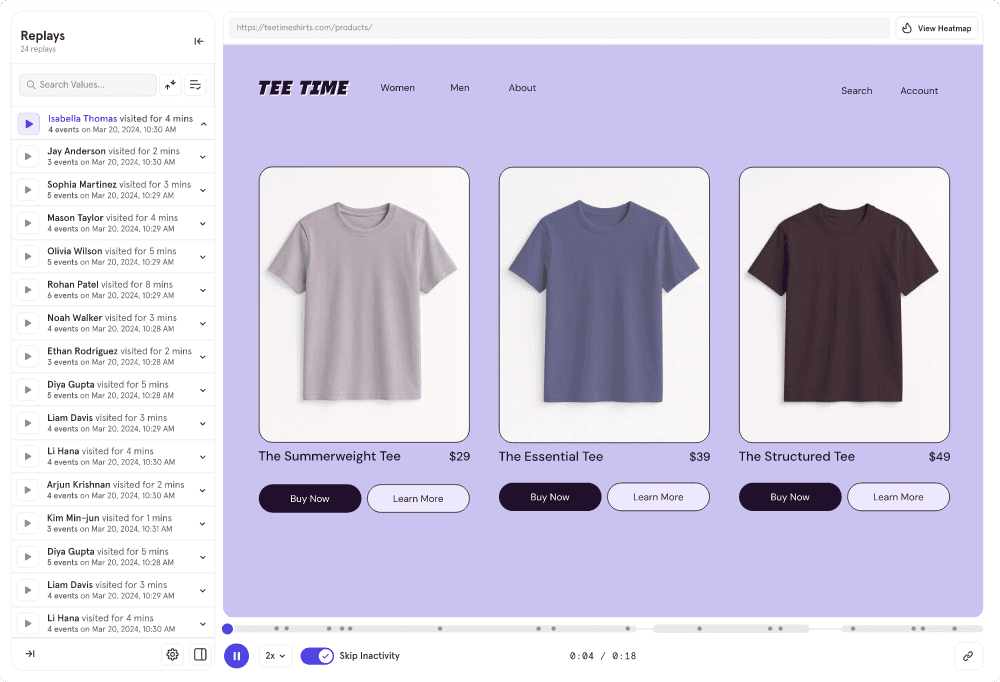
Mixpanel Session Replay records how people use your website or app, so you can see where they clicked, scrolled or got stuck. Filter replays by any event, property or cohort, and jump from a chart to the sessions behind it.

Mixpanel Session Replay records how people use your website or app, so you can see where they clicked, scrolled or got stuck. Filter replays by any event, property or cohort, and jump from a chart to the sessions behind it.

Watch replays alongside your analytics

Watch replays alongside your analytics

Watch replays alongside your analytics

Spot trends at scale with reports and heatmaps, then zoom into individual session replays to understand the “why.” Flow back and forth to help your team see the full picture and move faster.

Spot trends at scale with reports and heatmaps, then zoom into individual session replays to understand the “why.” Flow back and forth to help your team see the full picture and move faster.

Thumbnail image of a Conversion Funnel showing a 71.4% drop-off and a user hovering over a "View Replays" button.

Session replay built into Mixpanel

Session replay built into Mixpanel

Session replay built into Mixpanel

Session Replay isn't just an add-on, but built into your Mixpanel workflow. Move faster with a single solution that connects analytics, replays, and the rest of the platform, so you can go from big-picture insights to reliving individual experiences in seconds.

Session Replay isn't just an add-on, but built into your Mixpanel workflow. Move faster with a single solution that connects analytics, replays, and the rest of the platform, so you can go from big-picture insights to reliving individual experiences in seconds.

Image showing a diagram of all the different product feature icons that make up Mixpanel's platform, including Session Replay, Heatmaps, Metric Trees, Experimentation, Funnels, Retention, Insights, and Conversion, all connected together.
Session replay detail showing how you can see the full user journey

Privacy: masking and controls

Privacy: masking and controls

Privacy: masking and controls

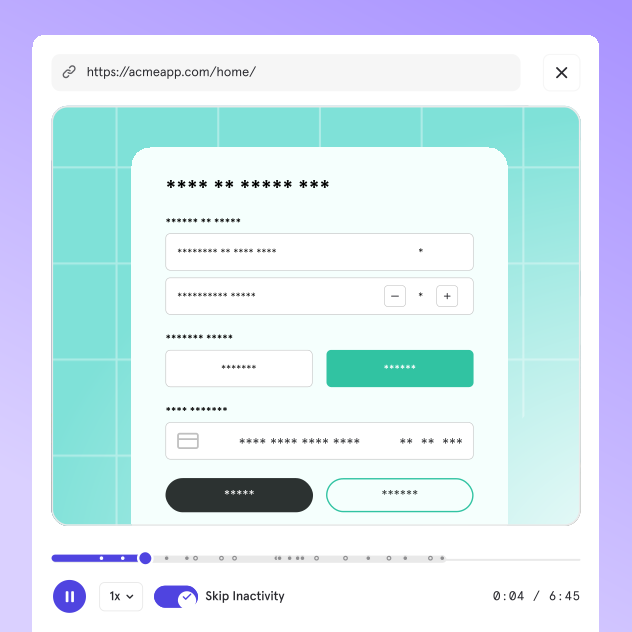
Everything in your session replays starts fully masked by default, keeping sensitive information safe. You choose exactly what to unmask, ensuring you only collect the data you need.

Everything in your session replays starts fully masked by default, keeping sensitive information safe. You choose exactly what to unmask, ensuring you only collect the data you need.

Find the right sessions with filters

Find the right sessions with filters

Find the right sessions with filters

Filter millions of replays down to a laser-focused playlist in seconds using your Mixpanel events, properties, and cohorts.

Filter millions of replays down to a laser-focused playlist in seconds using your Mixpanel events, properties, and cohorts.

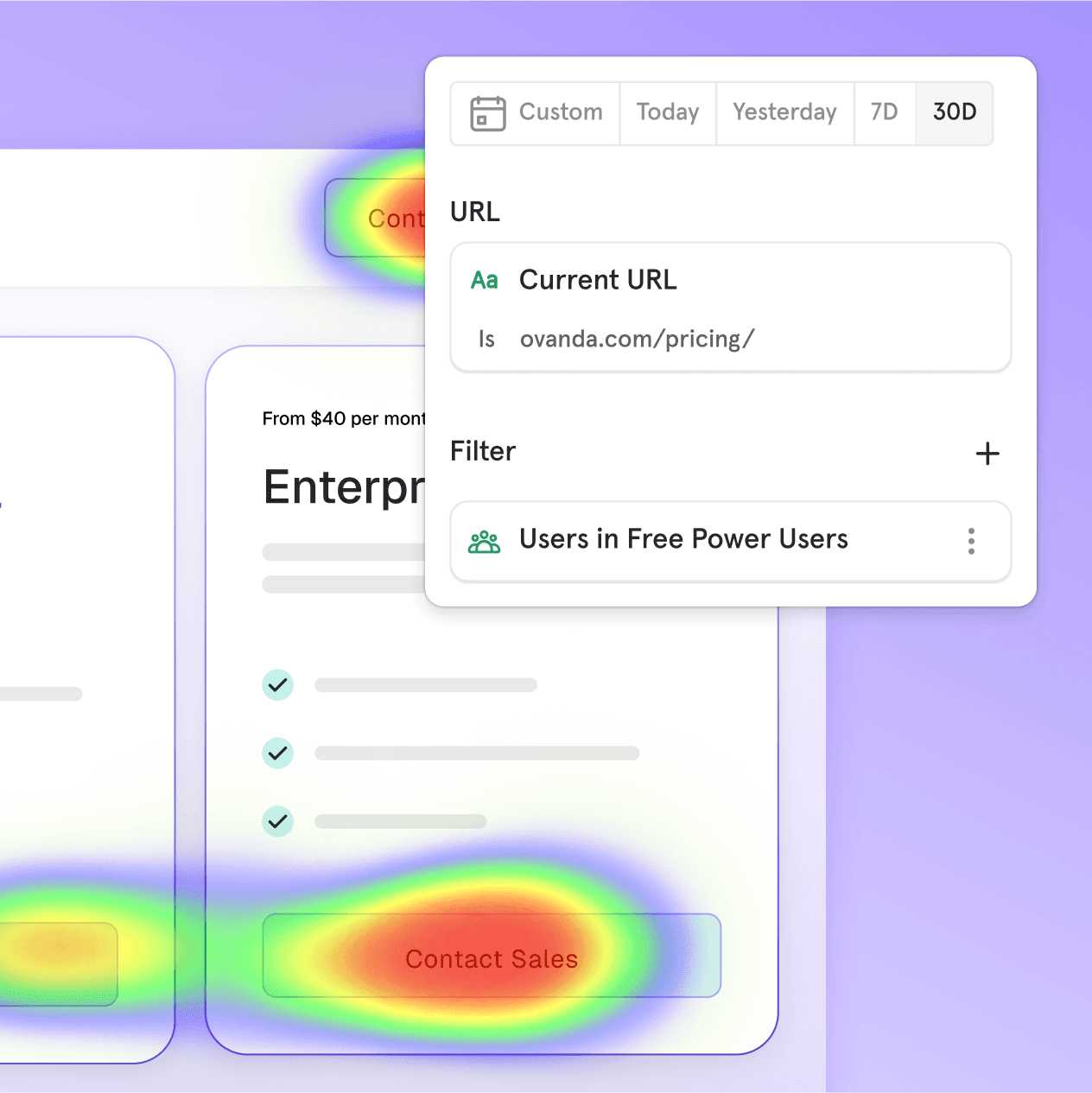
Image showing a heatmap overlaid on a pricing page, with colored fields that denote user interaction over the buttons, and a floating user interface that allows users to select a URL, adjust the time range, and apply a filter to see the heatmap for a specific user cohort.
Session replay detail showing how you can see the full user journey

AI summaries of every replay

AI summaries of every replay

AI summaries of every replay

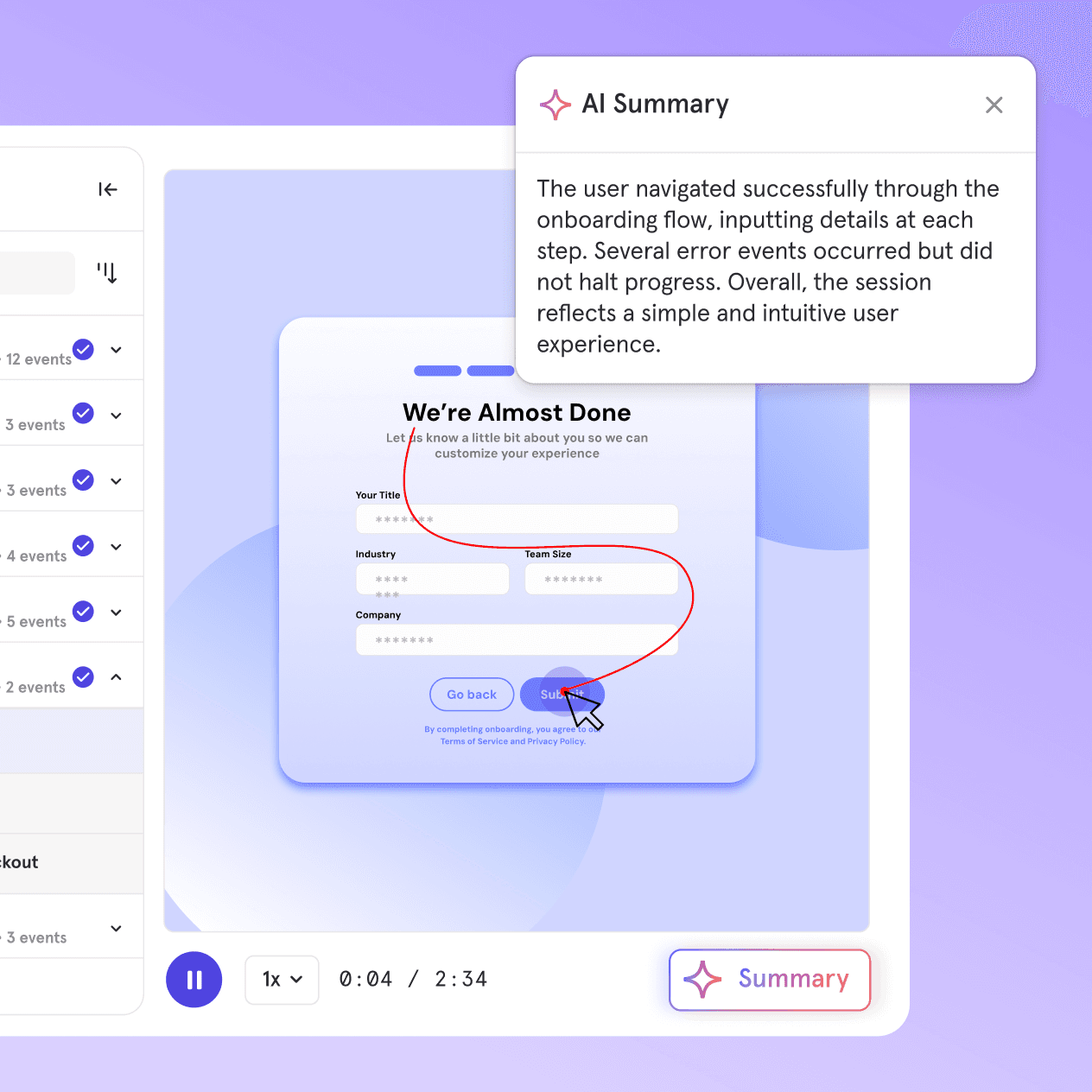
Skip the manual watching. Mixpanel’s AI highlights key moments and summarizes every replay, all powered by your governed event data for unmatched accuracy you can't get anywhere else.

Skip the manual watching. Mixpanel’s AI highlights key moments and summarizes every replay, all powered by your governed event data for unmatched accuracy you can't get anywhere else.

Measure the what and the why

Use both qualitative and quantitative data to quickly identify patterns, understand individual pain points, and make decisions that drive impact.

Measure the what and the why

Use both qualitative and quantitative data to quickly identify patterns, understand individual pain points, and make decisions that drive impact.

Measure the what and the why

Use both qualitative and quantitative data to quickly identify patterns, understand individual pain points, and make decisions that drive impact.

Session Replay for mobile apps

Watch replays of your native iOS and Android apps to understand user behavior across platforms.

Replays for backend events

See replays for events like purchases or signups, even from server-side or your data warehouse.

Customizable retention windows

Replays are stored for 30 days by default. Enterprise customers with the Session Replay add-on can set retention from 7 to 360 days.

Logo for a company called Employment Hero, featuring a geometric, abstract symbol that loosely resembles two people with arms outstretched towards one another beside a sans-serif wordmark, all in lowercase, in black.

“Session Replay is a game changer, providing a middle ground between quantitative and qualitative data. 

We can optimize conversions by seeing exactly where

users get stuck.”

“Session Replay is a game changer, providing a middle ground between quantitative and qualitative data. 

We can optimize conversions by seeing exactly where

users get stuck.”

Kevin Trong

Head of Product

Spot patterns fast with Heatmaps

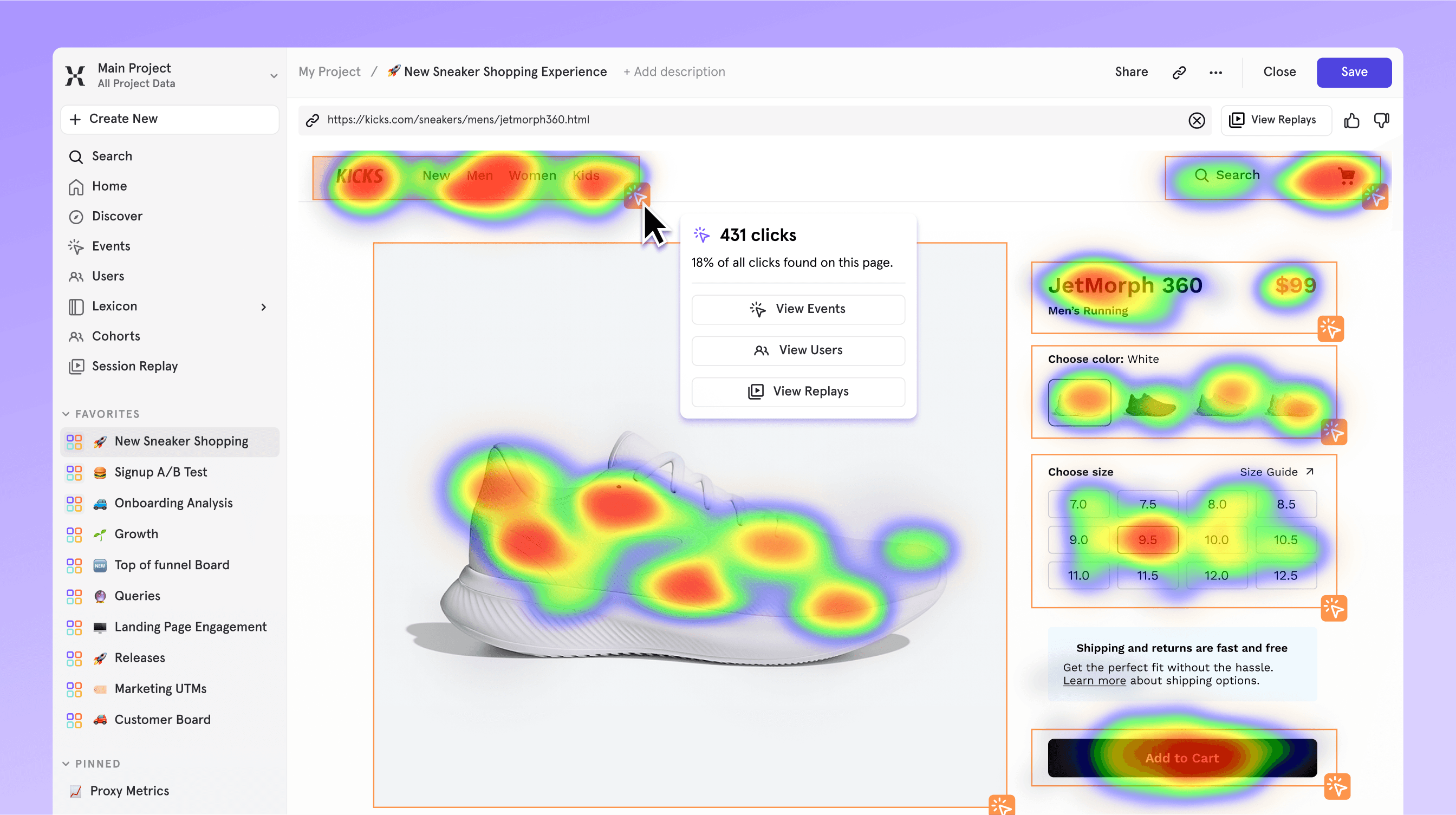
Quickly visualize hot spots, dead zones, and missed opportunities at a glance, so you can optimize your web pages and drive more conversions.

Spot patterns fast with Heatmaps

Quickly visualize hot spots, dead zones, and missed opportunities at a glance, so you can optimize your web pages and drive more conversions.

Spot patterns fast with Heatmaps

Quickly visualize hot spots, dead zones, and missed opportunities at a glance, so you can optimize your web pages and drive more conversions.

Image of a Mixpanel dashboard showing a heatmap for a sneaker ecommerce page, in which a user has clicked on a hotspot to see the number of clicks in the navigation and a series of buttons allowing them to view the user events, view the users, and view session replays related to that page.

“Session Replay gives us the confidence to ship faster. We use it to validate new releases and catch unexpected issues early, before they affect the user experience.”

Jayce Lee

Head of Product

“Session Replay gives us the confidence to ship faster. We use it to validate new releases and catch unexpected issues early, before they affect the user experience.”

Jayce Lee

Head of Product

“Session Replay gives us the confidence to ship faster. We use it to validate new releases and catch unexpected issues early, before they affect the user experience.”

Jayce Lee

Head of Product

Frequently asked questions

Frequently asked questions

What is session replay?

Session replay records how people use your website or app, so you can see where they clicked, scrolled, or got stuck. In Mixpanel, replays sit right next to your analytics: filter them by any event, property, or cohort, and jump from a chart to the sessions behind it.

What types of apps are supported?

Session Replay is available for websites and for mobile apps on iOS, Android, and React Native. It also works with Electron desktop apps and with CDPs like Segment and mParticle.

How does Mixpanel protect user privacy?

Session Replay and Heatmaps are private-by-default. By default, we mask all screen, text, images, video content, and user inputs to help protect user data.

Mixpanel complies with major privacy regulations like GDPR and HIPAA, and adheres to ISO 27001 standards for data security.

View Privacy Docs →

How much does Session Replay cost?

Every plan includes free session replays: 10,000 a month on the Free plan, and 20,000 a month on Growth and Enterprise. Free replays reset each month, don’t roll over, and require one of Mixpanel’s current plans.

Need more? Growth and Enterprise customers can buy additional replays. Heatmaps are included at no extra cost and don’t count toward your MTUs or billable events.

See pricing →

How is Mixpanel Session Replay different from FullStory or Hotjar?

Many replay tools are separate products with their own tracking. In Mixpanel, replays are part of your product analytics. You spot a drop in a funnel or a dip in a metric, then open the replays of the users behind it. Replays use the same events, properties, and cohorts as the rest of Mixpanel, so there’s no second tracking plan to maintain.

See how Mixpanel compares to FullStory →

Does session replay slow down my site?

Mixpanel’s web replay is built on rrweb, an open-source recording library, and compresses data in the background so it doesn’t block the page. In our testing, the impact on most sites is minimal.

Complex, highly interactive pages produce more data, so we recommend checking performance after you turn replay on. You can also set a sampling rate to control how many sessions get recorded.

Read the implementation guide →

See for yourself, risk-free

See for yourself, risk-free

See for yourself, risk-free

Start collecting and watching replays today.