

Product analytics MCP server: your missing layer between AI and product decisions

➡️ A product analytics MCP server translates natural-language questions into product analytics API calls in real time, returning behavioral context that AI can't infer from docs or dashboards alone.
A product analytics MCP server gives AI tools like Claude, Cursor, and ChatGPT the context they need to move from generic insights to specific, data-backed answers. Without one, those insights can be shallow or based on flawed assumptions that send teams in the wrong direction. That gap exists because AI lacks visibility into how users actually behave.
Model Context Protocol (MCP) servers are changing that. An analytics MCP server provides a standardized, open protocol that securely connects LLMs to live product data. The question for PMs is no longer whether they should use MCP servers, but which data sources to connect to make AI useful.
When PMs want AI to understand their users, a product analytics MCP server gives AI secure access to event data, so it can return fast, accurate insights without a separate dashboard or SQL query.
What is a product analytics MCP server?
A product analytics MCP server connects product analytics data to LLMs, which allows users to query product data using natural language. MCP has become the standard protocol for how AI platforms interact with data solutions like Mixpanel.
By using a product analytics MCP server, product managers can use their AI co-pilot to generate reports, analyze event data, and compare insights with data from other tools in their stack, directly within the AI interface. That means there’s no need to build dashboards or even open your product analytics platform to access all of your data.
✅ Mixpanel MCP server: Check out our docs to learn more about querying events, funnels, flows, retention, session replays, and more using natural language.
Without an MCP server, a PM would start with a question, for example, “Why did Day-7 retention drop last sprint?” They would go into Mixpanel, open their Boards, and click through to the relevant data. They would probably form a hypothesis, test it, wait to see results, and interpret those results.
With an MCP server, a PM can ask an AI the same question and the tool will query the data to provide an answer, effectively skipping all of those intermediate steps. Product analytics MCPs like Mixpanel’s MCP server expose internal API endpoints unavailable via the public API, giving AI tools deeper analytical access than any SQL connection can provide. The AI is doing more than reading your data: it's querying it, building from it, and narrating what it finds.
Why analytics data is especially useful context for AI
Product analytics event data is the best data source to capture user intent expressed through behavior, instead of just reported outcomes. When combined with qualitative data like session replays, it gives a complete picture of what your users are doing, so you understand why they’re doing it.
Unlike BI tools, which provide aggregated insights and require data analysts to use, product analytics offers event-level granularity with detailed user journeys, cohorts, segmentation, as well as funnel and flow analysis.
With access to this data, AI can detect correlations across behaviors, compare cohorts instantly, and surface patterns that humans wouldn’t necessarily think to query manually.
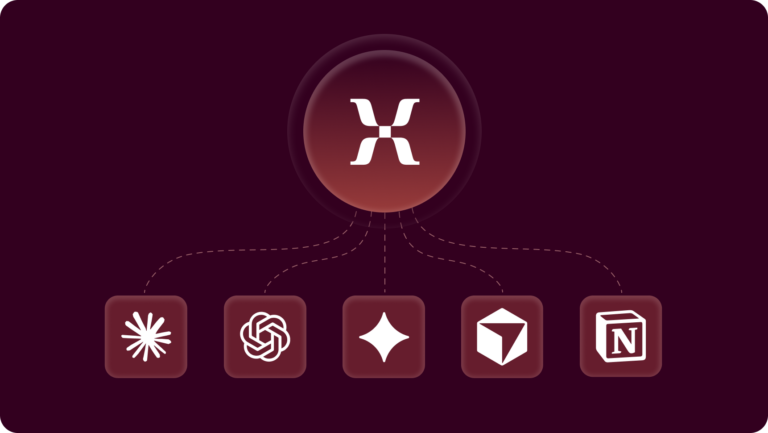
💡 Works where you already work: Mixpanel MCP connects with Claude, ChatGPT, Cursor, Notion, and other AI tools in your stack. No switching context, no new logins.
What can a product analytics MCP server do?
The most important win is speed: With a product analytics MCP server, product managers can get answers much faster, simply by asking a question in everyday language. The AI reads your product analytics data—including event schema, properties, and existing analyses—to build reports and dashboards that provide the answers you need.
Here are a few examples of what a product analytics MCP server can accomplish:
1. Purchase conversion optimization
With a product analytics MCP, you can ask Claude (or your preferred AI co-pilot) to analyze your purchase funnel, identify the biggest drop-off points, and suggest optimization strategies based on the information surfaced.
An example query could be: “Analyze our purchase funnel and identify the biggest drop-offs.”
Through the MCP server, the AI would return things like funnel breakdowns, step-by-step conversion issues, and suggested focus areas. You could also ask it to build a dashboard for you or create a report with the issues it’s identified. Either way, you have clear next steps (backed by your data) and an immediate optimization plan, without needing to open a dashboard.
2. User engagement analysis
When a product analytics MCP server connects your AI to cohort and user data, it can use that data to analyze user engagement.
An example query would be: “What are the key behaviors that differentiate our most engaged users from others?”
With the help of the MCP server, the AI returns cohort comparisons and pattern clusters that surface in the data, including patterns that would have been hard to find otherwise.
Learn more about how customers are using Mixpanel’s MCP server.
3. Feature impact assessment
A feature impact assessment can help PMs decide what changes they should make and what to add to the roadmap.
For example, you might ask, “Analyze the impact of our recent feature launch on Day-14 retention.”
AI can surface before/after cohort data and suggest which features to prioritize next.
4. Reconciling data from different sources
Product analytics MCP helps you tie data from different sources together. For example, say you have an Excel file with data about purchases. Separately, your product analytics has data about the users who made those purchases. You can ask the AI to pull order event data from your product analytics solution through the MCP server and combine it with actual order content. You don’t need to understand where the data lives; just ask the AI to access it in natural language.
💡 More use cases: See how Mixpanel is using the MCP server.
Product analytics MCP server turns AI into a context-aware co-pilot
AI without access to product data is valuable but often generic. Connecting your data with an MCP server gives your AI the context it needs to make useful, specific recommendations to make better, faster product decisions.
Mixpanel's MCP server connects with all of the AI tools you’re already using, including Claude, Cursor, ChatGPT, Notion, and more.
Stop context-switching between AI and your analytics dashboard. Connect Mixpanel to your AI co-pilot and ask your first question today. Get started with setup or watch a demo to learn more.