

6 Adobe Analytics alternatives for product teams frustrated with data bottlenecks

Adobe Analytics is one of the most well-known enterprise analytics platforms available. It offers detailed web and customer journey analysis, segmentation, marketing measurement, and cross-channel attribution, and is popular with organizations already invested in the Adobe ecosystem.
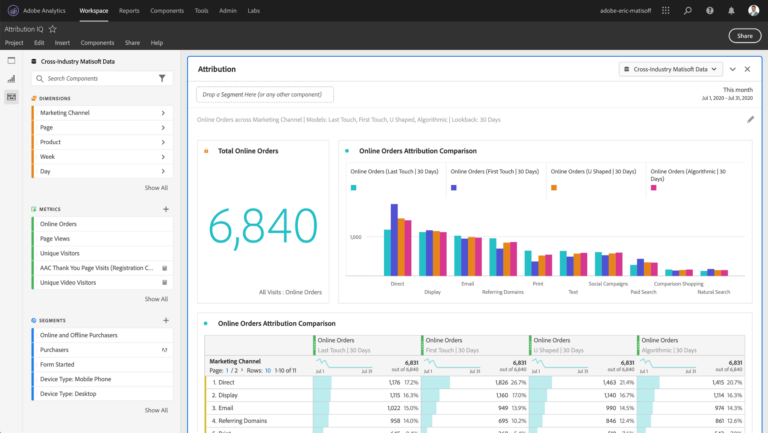
For product teams, that depth can come with significant complexity and overhead. Customer reviews often highlight Adobe Analytics' depth and customization while also citing its steep learning curve, intensive implementation and technical requirements, and cost. G2 puts the current average implementation time at roughly three months.
This guide compares six Adobe Analytics alternatives based on what product teams typically need: fast implementation, self-serve analysis, behavioral depth, data availability, and the ability to quickly move from insights to action.
Why product teams are leaving Adobe Analytics
Adobe Analytics has long been the standard marketing and web analytics tool for teams that have already invested in the Adobe ecosystem.
But for AI-native product teams trying to iterate quickly, Adobe Analytics comes with a few challenges. While Adobe has ample analytical power, the issue is how that power fits into a product team's daily workflow. Its legacy architecture creates bottlenecks and implementation challenges that often leave product teams waiting for answers.
Implementation complexity
Getting the most from Adobe requires careful planning around tracking, variables, integrations, and data architecture. G2 reviewers frequently identify implementation and ongoing technical requirements as challenges.
Not built for self-serve
The platform's flexibility can make everyday analysis difficult for people who don't use it regularly. Its highly customizable interface can also feel overengineered for simple analyses, forcing users to navigate a level of complexity they may not need.
Vendor lock-in and siloed data
Adobe lives and dies on locking its customers into using only its products, and making building best-in-breed stacks as difficult as possible. Integrations are lacking, getting your data out to other systems is difficult, and the resulting data silos can make it difficult to connect Adobe Analytics with best-in-breed tools across the rest of the stack.
Adobe lives and dies on locking its customers into using only its products, and making building best-in-breed stacks as difficult as possible. Integrations are lacking, getting your data out to other systems is difficult, and the resulting data silos can make it difficult to connect Adobe Analytics with best-in-breed tools across the rest of the stack.
6 Adobe Analytics alternatives worth considering
1. Mixpanel
What is Mixpanel?
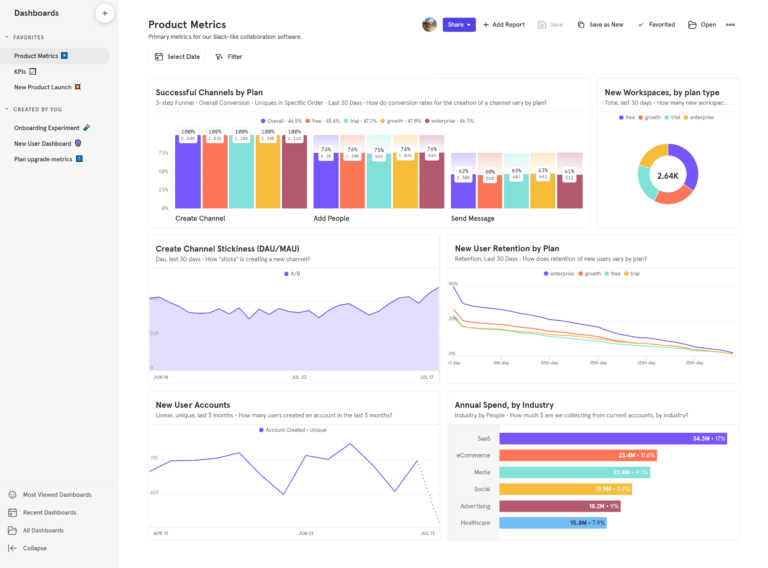
Mixpanel is an AI product intelligence platform built for self-serve discovery. It uses event-based behavioral data to help teams understand every step of product development, including conversion, feature adoption, retention, user journeys, and behaviors associated with business outcomes.
Mixpanel gives product teams more than Adobe Analytics in fewer tools, powered by AI. Deep behavioral analytics, Session Replay, A/B testing, and feature flags all live in one platform, with agentic workflows through Mixpanel Agent, MCP, and Headless layered on top. That means product managers and non-technical teammates can investigate retention, explore user flows, run experiments, and surface AI-driven insights without assembling a stack of add-ons or waiting on data teams to build custom reporting environments.
How Mixpanel works
Mixpanel is a unified product intelligence platform that combines behavioral analytics, Session Replay, experiments, and feature flags in a single workspace—all powered by agentic workflows through Mixpanel Agent, MCP, and Headless. It operates by seamlessly ingesting event data from your existing tech stack through direct integrations, CDPs, SDK, or data warehouses, without requiring a massive, proprietary platform setup.
At its core, the platform runs on Arb, a proprietary analytics database purpose-built for speed and retroactive flexibility. Arb keeps user and event data distinct, joining them only at query time. That allows teams to run complex, real-time queries without waiting for data engineers to build new SQL tables.
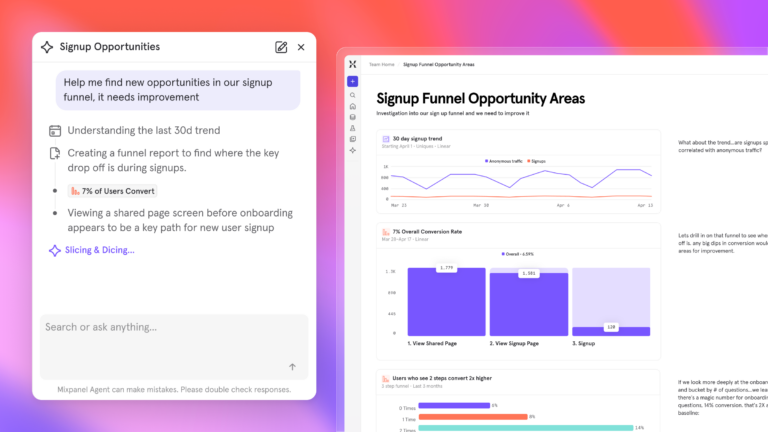
On top of this data layer, Mixpanel applies a self-serve interface and a business-aware AI context engine. This means anyone can instantly visualize user journeys in the UI, or use Mixpanel's MCP server to prompt and interact with their product intelligence directly from within the tools they already use.
Key features
- Mixpanel AI: Specialized AI agents continuously monitor your product, proactively investigate the root causes of metric shifts, and automatically spin up tracking boards.
- Experiments and Feature Flags: Design, launch, and analyze statistically valid A/B tests and feature rollouts in the same platform where you measure user behavior.
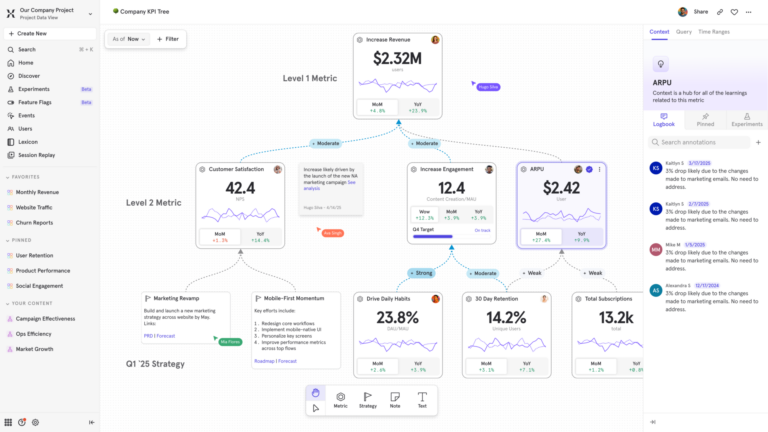
- Metric Trees: Replace static dashboards with an interactive map of live metrics that connects day-to-day product behavior to top-line business strategy.
- Session Replay: Uncover what the data alone can't. AI-powered Magic Playlists group pixel-perfect session replays and summarize them, helping teams quickly identify user friction and understand the causes.
- Mixpanel MCP Server and Headless: Bring product intelligence into the tools and workflows your team already uses. Connect Mixpanel to 30+ AI tools your team already uses, including Claude, ChatGPT, Cursor, and Slack. Or, query product data programmatically with a single line of Python.
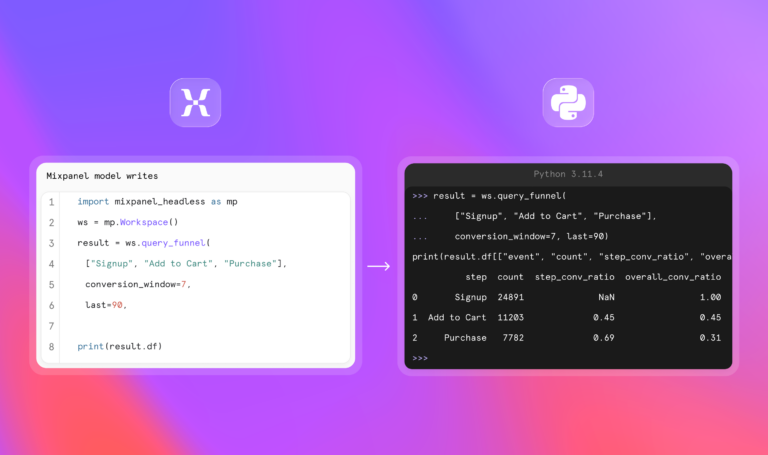
- Self-serve analytics: Build complex multi-step funnels, dynamic cohorts, and retention reports without writing SQL or waiting on an analyst.
- Scalable implementation and warehouse connectors: Connect Mixpanel to your data warehouse to maintain clean datasets, enrich event data, and keep your data architecture flexible without vendor lock-in.
| Learn more: How long does it take to implement Mixpanel? |
How much does Mixpanel cost?
Mixpanel operates on event-based pricing for its paid plans and not user seats like many other tools, which makes its cost more predictable.
Mixpanel's free plan includes up to 1 million monthly events and 10,000 monthly session replays, with no time limit. The Growth plan starts at $0 for the first 1 million monthly events and then charges based on additional usage, up to 20 million monthly events and up to 500,000 session replays per month, with volume discounts. Enterprise plans add advanced governance, security, analytics, and support.
Experiments and feature flags are also included on all plans. The Free plan includes 1,000 monthly experiment users (MEUs) and up to 10 active flags. Growth starts at 5,000 MEUs and 50 active flags, with the option to scale to 100,000 MEUs via Plan Builder.
How companies are using Mixpanel
Companies use Mixpanel to give non-technical stakeholders the ability to explore product data independently. With minimal onboarding, designers, product managers, and executives can navigate data themselves and answer questions without relying on analytics or engineering teams.
The main value proposition we see in Mixpanel is the democratization aspect. To enable non-technical stakeholders like designers, product managers, even the C-level, to navigate the data freely with minimal onboarding.”
They're also using Mixpanel to understand the specific actions and behaviors that shape the customer journey. Rather than relying on broad engagement metrics, teams can analyze the most relevant events, uncover patterns, and use that insight to build more targeted funnels and retention cohorts.
We chose Mixpanel because it provides the purest form of analytics – clear, event-based insights without unnecessary complexity. It allows our teams to track exactly what matters, build funnels and retention cohorts with precision, and make decisions based on real user behaviour in real time.”
Mixpanel customer reviews
We can now confidently say that a specific change caused a specific outcome. Mixpanel connects ‘what happened,’ ‘why,’ and ‘what if’ in one seamless flow.”
Customer behavior varies drastically by acquisition channel—Facebook users behave completely differently from those coming via Google Ads. Mixpanel allowed us to see this instantly and adjust our bidding strategy, ensuring we focused on the most valuable segments.”
Mixpanel vs. Adobe Analytics: How they stack up
| Feature | MIXPANEL | ADOBE ANALYTICS |
|---|---|---|
| Core Analytics | ||
| Autocapture / instant setup | ||
| Product, mobile & web analytics | ||
| Behavioral funnels | Fallout only | |
| Unlimited funnel steps | ||
| Retention analysis | Limited | |
| Session Replay | ||
| Heatmaps | ||
| Free session replay quota | 10,000/mo | |
| Feature Development | ||
| A/B testing & feature flags | Adobe Target (separate) | |
| Experiments (run and analyze) | ||
| Data & Infrastructure | ||
| Purpose-built analytics database | ||
| Data warehouse connectors | Limited | |
| Lookup tables & data enrichment | ||
| Automated data quality governance | ||
| Borrowed properties | ||
| Retroactive property updates | ||
| Advanced Analytics | ||
| Metric Trees | ||
| Self-serve analysis (no analysts required) | ||
| Out-of-the-box reports | ||
| AI | ||
| Always-on AI agent | ||
| Context-aware AI (knows your metrics & events) | ||
| Programmatic SDK for AI coding agents | ||
| Pricing & Support | ||
| Free tier | 1M events/mo | |
| Email support on all plans | ||
| Free training (Mixpanel University) | ||
| Implementation time | Days to weeks | ~3 months |
| Self-hosted deployment | ||
| Open-source |
The verdict: Who should switch to Mixpanel?
Mixpanel is a clear upgrade for companies looking to eliminate silos and build a more data-driven product culture. If your product team is tired of jumping between multiple Adobe add-ons or wants a best-in-class analytics platform without the complexity of a sprawling suite, Mixpanel provides a flexible, AI-native self-serve intelligence platform.
2. Amplitude
What is Amplitude?
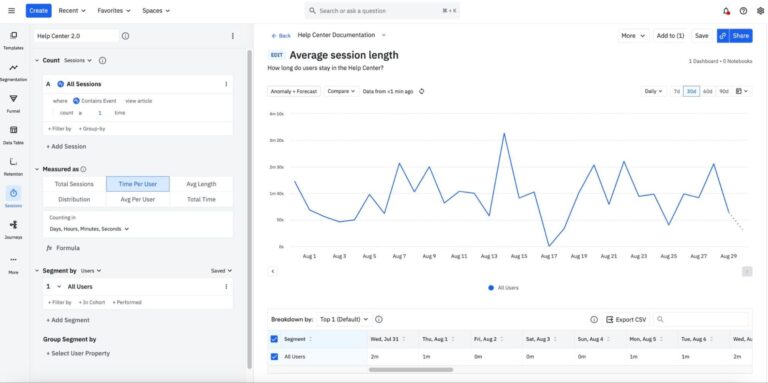
Amplitude is a sophisticated behavioral analytics platform for product teams that need complex data science modeling and governed event tracking. It's one of the closest alternatives to Adobe for teams that want mature analytics while shifting toward a dedicated product analytics workflow.
Key features
- Advanced conversion flows: Build multi-dimensional conversion funnels and complex user path reports.
- Data governance suite: Strict taxonomy tools to manage large enterprise event dictionaries.
- Predictive cohorts: Leverage machine learning to group users by their likelihood to churn or purchase.
Pricing overview
Amplitude offers a starter tier with core features. Paid plans scale based on event volume and advanced add-ons, aligning with mid-market to enterprise software budgets.
Amplitude vs. Adobe Analytics: How they stack up
| Feature | AMPLITUDE | ADOBE ANALYTICS |
|---|---|---|
| Event-based analytics | ||
| Retention analysis | Limited | |
| Cohort analysis | Limited | |
| Session replay | ||
| Experiments & feature flags | Adobe Target (separate) | |
| Enterprise data integration | ||
| Custom analytics flexibility | Moderate | Strong |
Amplitude customer reviews
The verdict: Is Amplitude right for your team?
Amplitude offers considerable depth for mature product organizations with established analytics practices, but it still requires investment in data governance and user education. If you're leaving Adobe specifically to eliminate analytics complexity, it may not solve that problem.
3. Heap (Contentsquare)
What is Heap?
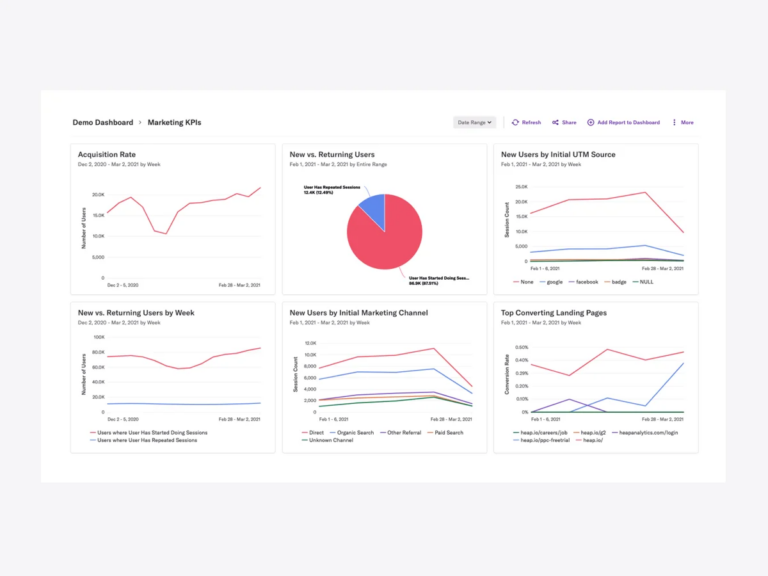
Heap is a product analytics platform known for its autocapture capabilities, which let teams collect user data automatically and define metrics retroactively without constant engineering support. That makes it particularly useful when engineering bandwidth is the main obstacle to analytics implementation.
Key features
- Retroactive event definition: Define new tracking metrics on historical data without updating code.
- Visual element tagging: Map specific clicks and page changes directly through a point-and-click visual interface.
- Friction tracking: Automatically identify which steps in a funnel cause the highest user drop-off.
Pricing overview
Heap's free plan supports up to 10,000 monthly sessions, with six months of data history and unlimited enrichment sources. Paid plans scale with session usage and add more functionality.
Heap vs Adobe Analytics: How they stack up
| Feature | HEAP | ADOBE ANALYTICS |
|---|---|---|
| Automatic capture | ||
| Real-time dashboards | ||
| Behavioral funnels | Fallout analysis | |
| Experimentation | ||
| Feature flags | ||
| Retention analysis | Limited | |
| Session replay | ||
| Non-technical self-serve |
Heap customer reviews
The verdict: Is Heap right for your team?
Choose Heap if your biggest frustration with Adobe Analytics is the time and engineering effort required to instrument new events. Its autocapture and visual tagging give product teams faster access to behavioral data without extensive upfront implementation. The tradeoff is data governance; as autocapture generates more data and the organization grows, you'll need to manage your taxonomy actively to prevent clutter.
4. Pendo
What is Pendo?
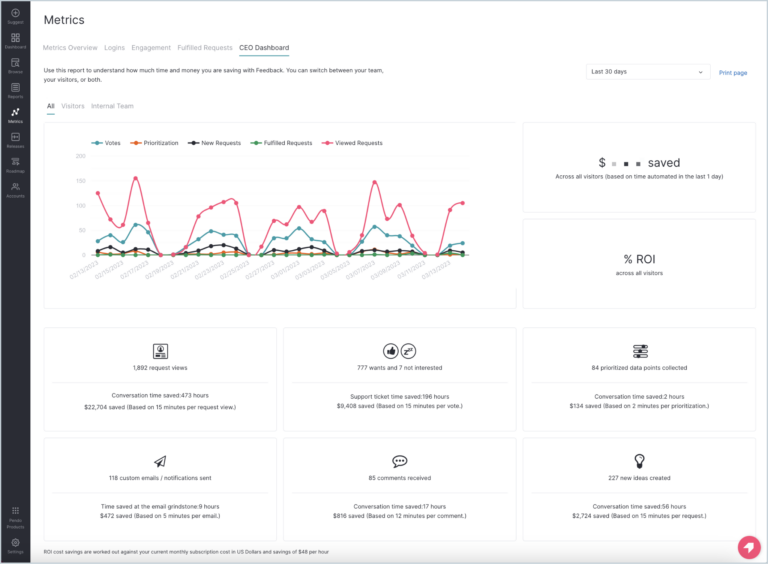
Pendo is an all-in-one product experience platform that combines product analytics with in-app guidance, feedback, session replay, and product experience tools. It allows teams to identify a usage problem, segment affected users, and then reach them with an in-app guide or onboarding experience.
Key features
- In-app guides and onboarding: Build and launch targeted user walkthroughs and announcements directly based on product activity.
- Product feedback management: Collect, centralize, and prioritize feature requests from users inside the app.
- Visual tracking layers: Tag software elements visually to monitor basic feature adoption without writing code.
Pricing overview
Pendo offers a free version for up to 500 monthly active users. The paid Base, Core, and Ultimate plans use custom MAU-based pricing.
Pendo vs Adobe Analytics: How they stack up
| Feature | PENDO | ADOBE ANALYTICS |
|---|---|---|
| Autocapture | ||
| In-app guides | ||
| Cohort analysis | Limited | Limited |
| Session replay | ||
| Behavioral funnels | Fallout analysis | |
| Experiments & feature flags | Adobe Target (separate) |
Pendo customer reviews
The verdict: Is Pendo right for your team?
Pendo is a good fit if you're focused on improving product adoption, onboarding, and in-app engagement. But if you're looking for deep behavioral analytics, you'll need a dedicated product analytics platform like Mixpanel.
5. PostHog
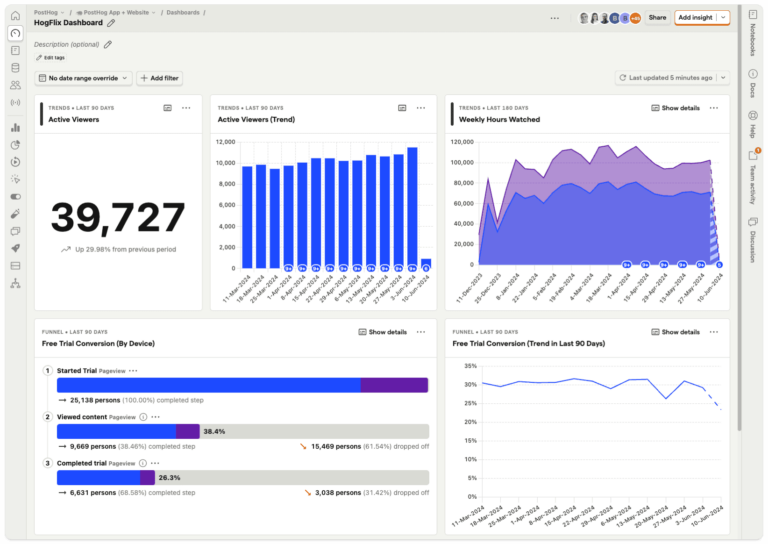
What is PostHog?
PostHog is an open-source product analytics platform that offers session recordings, feature flags, and heatmaps for agile engineering and product squads. Because PostHog is open-source, teams can review its code, customize features, contribute to the project, or even fork it if their needs differ from the platform's direction.
Key features
- Self-hosting flexibility: Deploy on your own infrastructure to maintain absolute data privacy and control.
- Built-in feature flags: Test code changes and roll out new features to targeted cohorts within the same workspace.
- SQL-driven custom queries: Use HogQL to build advanced calculations and customized dashboards.
Pricing overview
PostHog has a usage-based pay-as-you-go model with large monthly free quotas. You get 1 million free product analytics events per month and 5,000 free session replay recordings.
PostHog vs Adobe Analytics: How they stack up
| Feature | POSTHOG | ADOBE ANALYTICS |
|---|---|---|
| Product analytics | ||
| Behavioral funnels | Fallout analysis | |
| Retention analysis | Limited | |
| Session replay | ||
| Experiments & feature flags | Adobe Target (separate) | |
| Self-hosting | ||
| Marketing attribution | Limited | |
| Target users | Developers / technical PMs | Marketing teams |
PostHog customer reviews
The verdict: Is PostHog right for your team?
PostHog works well for engineering-led organizations and product teams that value open-source flexibility and technical autonomy. The main drawback is it may feel too technical for marketing and other non-technical business units moving away from Adobe Analytics. If you're looking for a polished analytics-first experience that's more universally user-friendly, a platform like Mixpanel may be easier to adopt.
6. LogRocket
What is LogRocket?
LogRocket is a frontend performance monitoring and product analytics platform that combines traditional behavioral tracking with deep technical telemetry, like network logs and performance impact scores.
Its strength is connecting a behavioral problem to its technical cause. If conversion falls, teams can move from the funnel to individual sessions, errors, network activity, and performance data to understand what users experienced.
Key features
- Full-stack visual debugging: Review network requests, console errors, and state changes alongside session playbacks.
- Galileo AI analysis: Automatically surfaces user frustration and technical errors that are directly hurting conversion rates.
- Core web vitals tracking: Monitor app performance and load speeds alongside traditional user funnels.
Pricing overview
LogRocket's prices scale based on captured sessions. It has a free plan that includes 1,000 sessions per month. The Core plan includes clickmaps, heatmaps, path analysis, and conversion funnels. Pro adds Galileo AI for summaries and issue detection, while Enterprise adds additional security and support.
LogRocket vs Adobe Analytics: How they stack up
| Feature | LOGROCKET | ADOBE ANALYTICS |
|---|---|---|
| Focus | Technical UX errors | Behavioral trends |
| Product analytics | ||
| Session replay | ||
| Error tracking | Limited | |
| Autocapture | ||
| Conversion funnels | ||
| Marketing attribution | Limited | |
| Enterprise marketing analytics | Limited |
LogRocket customer reviews
The verdict: Is LogRocket right for your team?
LogRocket is a good option for engineering and product teams that need to connect user behavior with frontend bugs and performance problems. If your main question is "Why did this user have a broken experience?" go with LogRocket. For broader product strategy, retention, cohorts, and feature adoption, you'll need a dedicated product analytics platform.
Honorable mentions
Matomo
Matomo is a privacy-focused, open-source alternative to Adobe Analytics for teams focused purely on website traffic, content engagement, and data ownership. If you're leaving Adobe, you'll likely need to run deep cohort retention analysis, map complex feature adoption, and build multi-step user funnels. Matomo's center of gravity is closer to web analytics than dedicated product analytics, making it too lightweight on behavioral data for product managers who care about retention, feature adoption, and experimentation.
Google Analytics (GA4)
Google Analytics has always been one of Adobe Analytics' main enterprise rivals for high-volume corporate websites. It's a strong option if your priorities are marketing attribution, media spend optimization, and cross-channel web tracking.
However, it's still primarily marketing- and web-focused, so product teams that need deeper behavioral insights, self-service analysis, and less reliance on technical teams might simply be trading Adobe's data bottlenecks for a different version of the same problem.
Which Adobe Analytics alternative is right for you?
We want clean, powerful, self-serve insights that help teams move quickly → Mixpanel?
Mixpanel helps product teams access and dig into behavioral analytics without relying on engineering for every question. Teams get a single, unified workspace combining real-time event tracking, deep behavioral charts, and targeted session replays in a UI that anyone from engineering to leadership can master quickly.
We need advanced behavioral data science and have dedicated data engineers → Amplitude?
Amplitude gives enterprise teams powerful tools for segmentation, experimentation, and behavioral modeling. Teams can use it to analyze complex product behavior at scale and build a rigorous data practice. The tradeoff is a steeper learning curve, and teams need extensive engineering and analytics resources to maintain instrumentation and data quality.
We want to capture everything and analyze it retroactively → Heap?
Heap automatically captures user interactions and metrics out of the box, letting teams investigate behavior without defining every event upfront. This makes it useful when teams want to explore historical data or don't know which events they'll need yet. As usage grows, though, teams will need to manage large volumes of low-signal data, complex event taxonomies, and growing storage costs.
We want product analytics to directly improve onboarding and in-app adoption → Pendo?
Pendo's strength is in its combination of light product analytics with in-app guides, onboarding, feedback, and engagement tools, which help teams turn behavioral insights into action. The drawback is that its analytics are less comprehensive than what you'd get with a dedicated product analytics platform.
We're an engineering-centric team that wants analytics and feature flags in one platform → PostHog?
PostHog offers a very flexible developer-focused platform thanks to its open-source model. That flexibility can come with a learning curve, especially for less technical product managers who would need to be familiar with basic SQL.
We need to connect user behavior with back-end bugs, errors, and application performance → LogRocket?
LogRocket connects session replays with error tracking and performance diagnostics, helping teams understand how technical issues and UX friction are affecting real users. The drawback is it doesn't handle high-level marketing acquisition workflows or broader product-growth analysis as well as a dedicated analytics platform.
Why switching to Mixpanel is worth it
Migrating from Adobe can feel risky. Enterprise teams may have years of historical data, dashboards, integrations, governance processes, and stakeholders built around the existing platform.
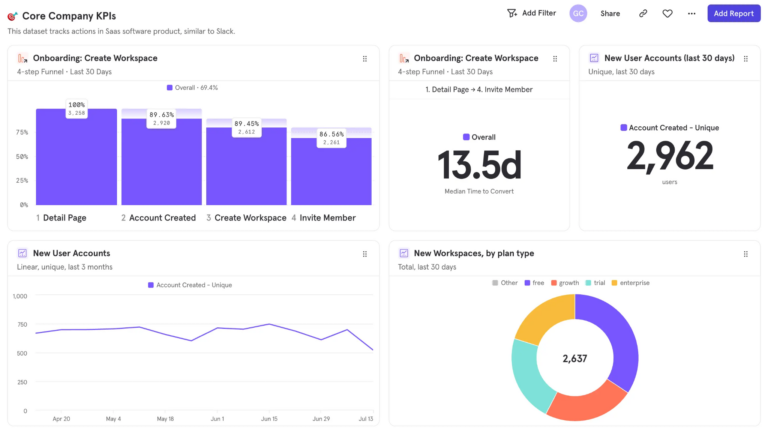
The goal shouldn't be to recreate all of that complexity somewhere else.
You can get most of the heavy lifting done in the first month. Start by defining the five to 10 events that matter most, like signups, feature adoption, and conversion. Map the properties and data behind those journeys, connect the relevant datasets to Mixpanel, and validate the results against your existing sources.
Once that foundation is in place, product teams have the tools in Mixpanel to explore funnels, cohorts, and user journeys without waiting on analysts or engineering. Product managers can investigate behavior themselves, analysts can focus on more complex questions, and engineers can spend less time serving as the default analytics help desk.
| Book a personalized demo to see how quickly you can get real-time behavioral insights with a best-in-class analytics platform. |
FAQs
How do modern analytics tools handle data privacy regulations like GDPR and CCPA?
Most analytics tools and major platforms provide controls for consent, data masking, deletion, retention, and automation, but implementation varies. Evaluate each platform against your organization's legal and security requirements rather than relying on a generic compliance claim.
Privacy-focused platforms also offer self-hosting and configurable anonymization for organizations with strict data ownership requirements.
Can alternative product analytics solutions match Adobe's advanced reporting and testing capabilities?
Yes, and often with a much faster time-to-insight.
While Adobe Analytics is known for a steep learning curve that requires specialized data teams, modern platforms offer intuitive custom dashboards and reports that anyone can build. These platforms easily process massive datasets and offer advanced features such as native A/B testing and cohort analysis.
For ecommerce and SaaS brands, this means you can track critical product KPIs and analyze specific conversion funnels independently, completely democratizing data to drive faster, smarter decision-making.
What key features should you prioritize in a modern product analytics platform?
Start with your most common product questions.
Go beyond basics like page views and look for advanced analytics capabilities that trace the complete customer journey across every digital touchpoint. This requires seamless cross-device tracking.
The platform should be inherently user-friendly, allowing anyone on your team to map complex behavior and slice real-time user interaction without waiting on data specialists.
Finally, look closely at the integration ecosystem. A powerful digital analytics solution should feature flexible integrations and developer-first APIs to seamlessly sync your data across the entire product stack.
How important is AI?
AI matters when it helps product teams move from "what changed?" to "why did it change?" to "what should we do next?" The most useful analytics AI can detect meaningful metric shifts, identify the cohorts and behaviors driving them, connect quantitative data with session replay, and proactively surface the problems that need attention.
Mixpanel, Amplitude, Pendo, PostHog, and LogRocket all offer AI capabilities, but their approaches differ. When evaluating them, look beyond whether a platform "has AI" and ask whether it can reason over your actual product data and turn analysis into action.